36
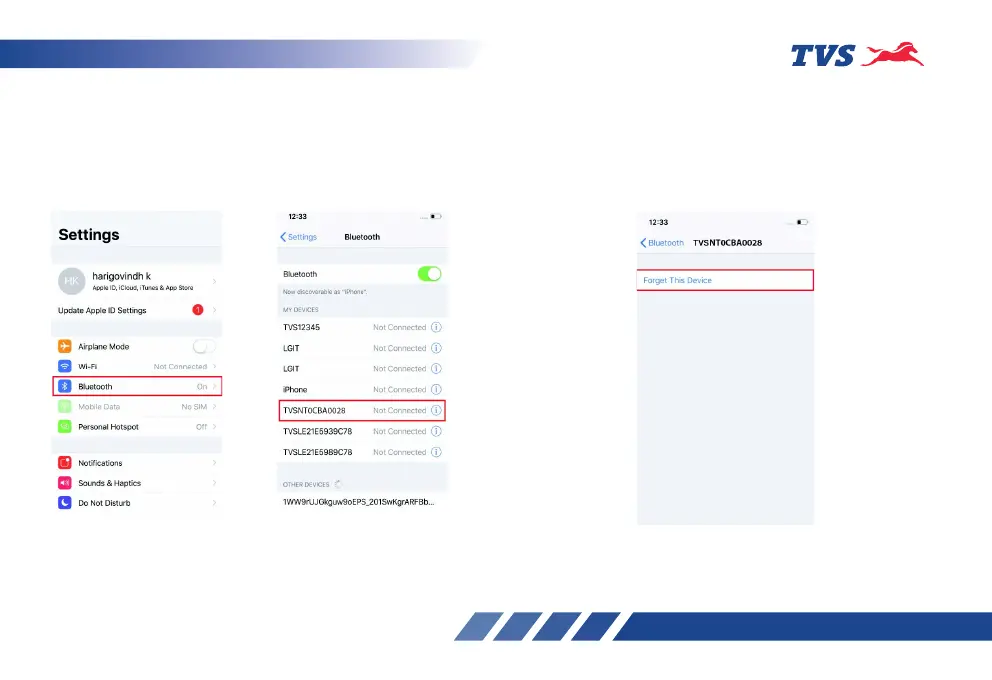
Steps to “Forget This Device” in iPhone:
If the user needs to connect multiple iPhones with
the single instrument cluster, the previous iPhone
has to be forgotten using “Forget This Device” from
Bluetooth settings in the following manner:
1. In the previous connected iPhone, open the
SETTINGS -> BLUETOOTH.
2. Select the instrument cluster, which was
connected previously.
3. Click on the “Forget this device”.
Or do the long press on the Connect button of the
App and do the Forget devices.














 To Next Page