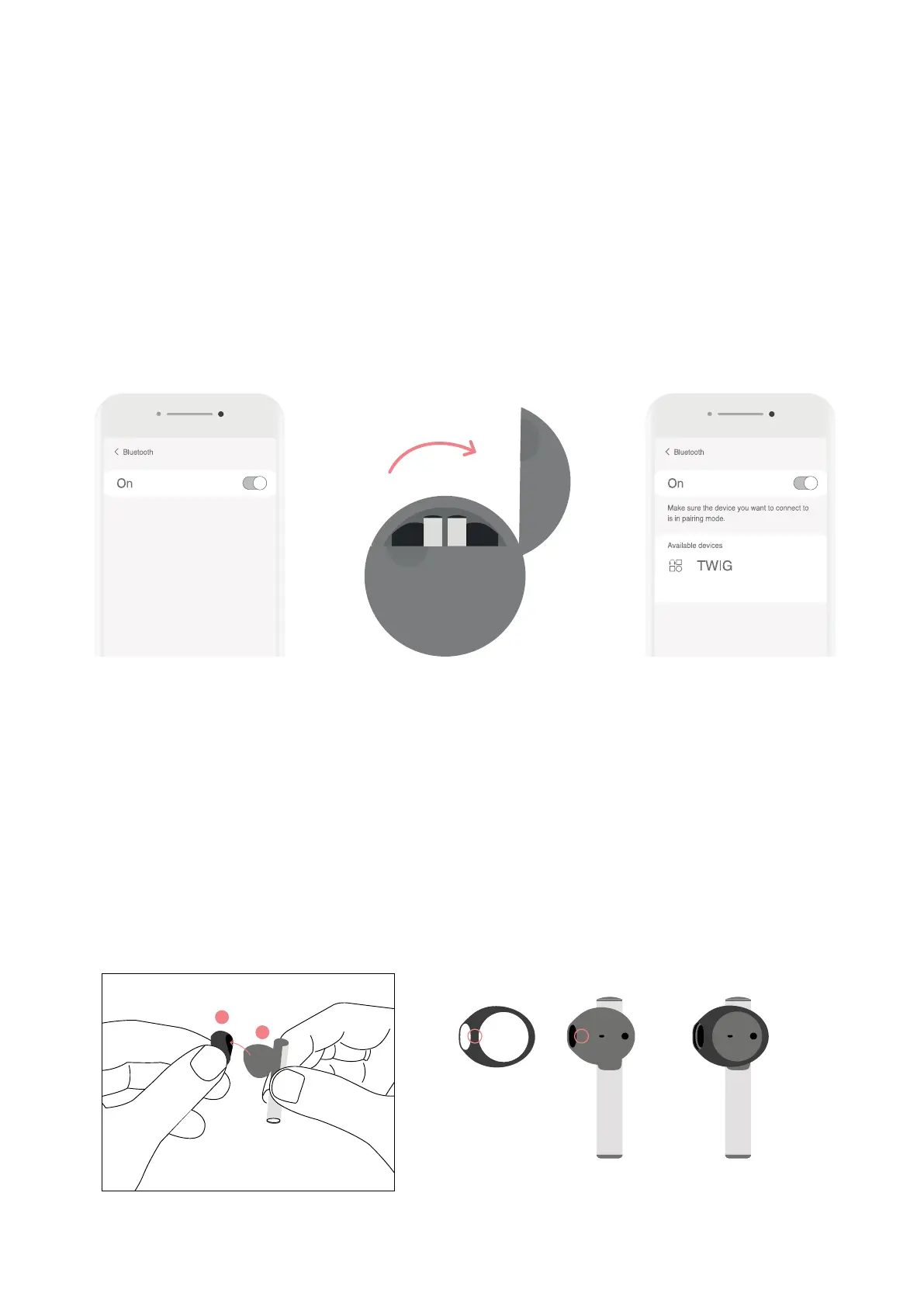
4.How to use Silicon eartips
TWIG earbuds can be worn in two sizes via the silicone eartips.
Depending on the user’s preference or the size of the ear canal, a silicone eartip can be used to increase sound
insulation, or can be removed for added comfort and lightness.
①EarbudsandsiliconeeartipsbothcontainL/Rindicators
②TheL/RmarkingsonthesiliconeeartipswillcovertheL/Rmarkingsontheearbuds
※Siliconeeartipscomepreinstalledwiththeearbuds.
※Todeliverasecurefit,thesiliconeeartipscomeperfectlymoldedtotheearbuds
RR R
3. Pairing
★ Remove the film on the earbuds and charge for at least 10 minutes before first time use.
TWIG will automatically go into pairing mode when the case is open.
①TurntheBluetoothonofyourdevice.
②Openthecasetoautomaticallygointopairingmode.
③SelectTWIGintheBluetoothsettingsofyourdevice.
④WhentheearbudsconnecttoyourdeviceviaBluetooth,youwillhearahigh-pitchedtone(marimba).
Once you place the earbuds in your ears, you will hear a low-pitched tone (synth), indicating your device and
earbuds are connected and ready to use. (The earbuds must be worn to activate the touch sensor features.
※Oncethepairingiscomplete,TWIGwillpairwiththelastdeviceitwasconnectedto.


 To Next Page