10. Activate the voice command function
Activate the voice command function of the connected Bluetooth device by tapping the TWIG Earbuds
Tap the right (R) earbud 3 times ●●● to activate Siri or Google Assistant.
※FunctionsmayvarydependingonthepairedBluetoothdevice.
11. Product Reset
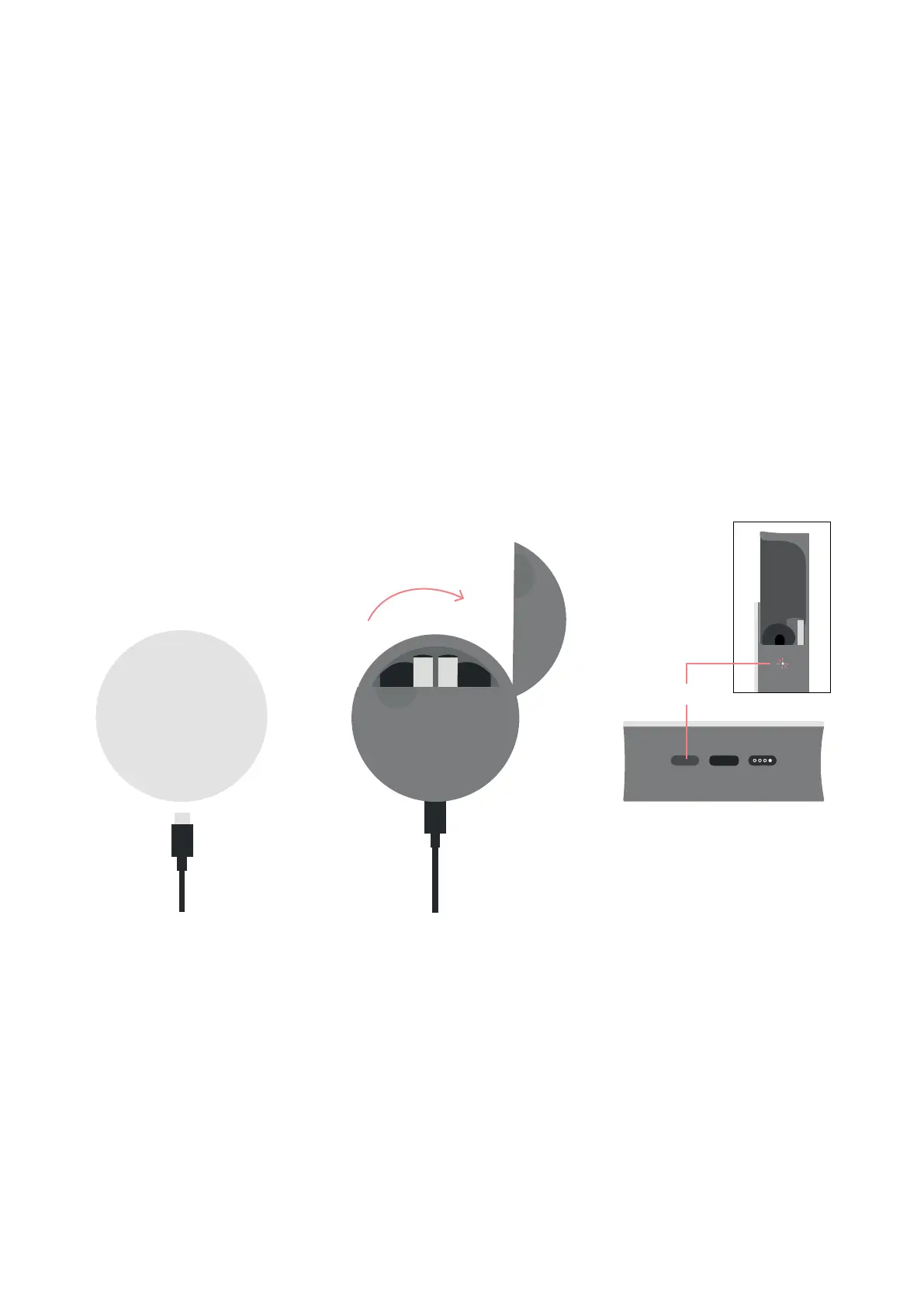
If an unknown problem occurs with the TWIG, most issues can be resolved by simply resetting the device.
①UseUSBType-Ccableforcharging.
②Whilethecableispluggedinandcharging,openthecaseandpressthebuttononthebottomofthecase
for 15 seconds. The earbud charging status LED light will blink 8 times and the resetting process will begin.
③After15seconds,closeandopenthecasetoenterthepairingmode.
※Allexistingconnectionhistorywillbereset.
15 sec.


 To Next Page