5.Charging
The earbuds begin charging from the moment they are stored in the case.
Case supports both USB Type C charging or wireless charging.
5.1 Charging the Earbuds
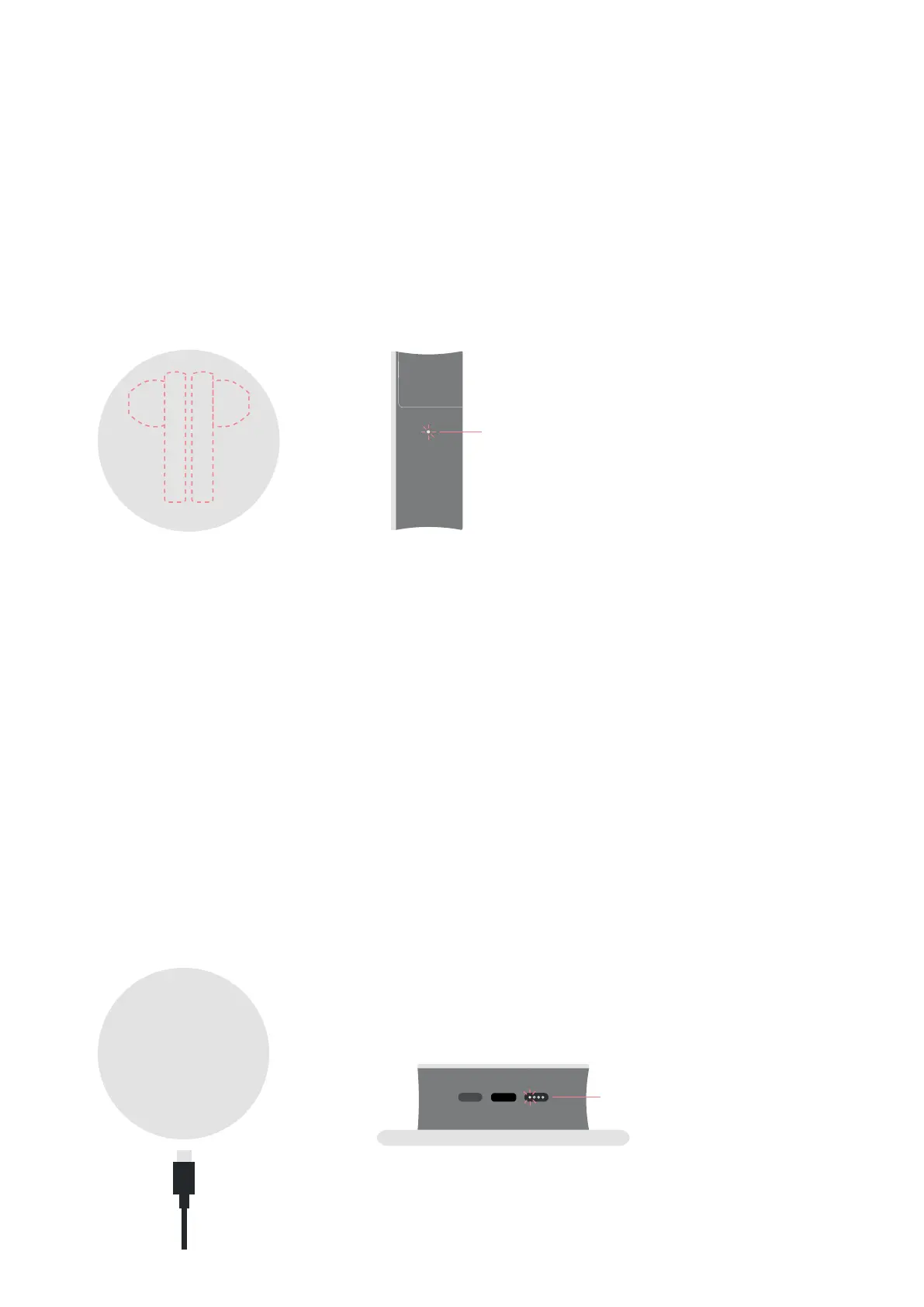
① Place the earbuds (L/R) in the case and close the case.
② The status LED on the side of the case will turn on for approximately 3 seconds and will start blinking, indicating
that the earbuds are being charged.
※Whentheearbudsarefullycharged,thechargingstatusLEDlightonthesideofthecasewillturnoff.
5.2 Charging the Case
1) Using the Charging cable
①ConnecttheType-CchargingcabletotheportatthebottomoftheTWIGcase.
②Lightsindicatingchargingstatusareonthebottomofthecase.
Gradually dimming lights indicate that charging is in process.
2) Wireless Charging
①Placethealuminumsideupforwirelesscharging.
②CasechargingstatusisshowbytheLEDlightonthebottomofthecase.
5.3 Checking the remaining battery level
1) Checking the battery level of the earbuds
Battery level can be checked via the ODDICT app
2) Checking the battery level of the case
If you press the button on the bottom of the case, you can check the remaining battery levels
with the 4 LED status lights.
※Wheneverthecaseisopenedorclosed
the status LED light will light up for 3 seconds.
Lights Blinking : Charging
Lights Off: Charging Complete
Lights Blinking : Charging
Lights Off: Charging Complete


 To Next Page