Last update:
2018/03/02
14:38
torpedo_cab:torpedo_c.a.b._user_s_manual http://wiki.two-notes.com/doku.php?id=torpedo_cab:torpedo_c.a.b._user_s_manual
http://wiki.two-notes.com/ Printed on 2018/06/02 11:40
remains connected to a speaker cabinet. Depending on the amplifier's design, silent playing
may still be achieved by turning the master volume of the amp to minimum. This will only work
if the FX loop is placed before the master volume.
Playing in silence is a great feature, but at some point you have to listen to what you play! We
present a few options to use at home, in the studio or on stage:
Listen through the headphones out,1.
Having a local monitoring system on stage, by duplicating the LINE OUPUT with a mixer,2.
Having in-ear monitors or wedge speakers controlled by a sound engineer.3.
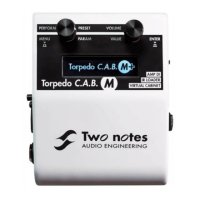
If you are using an amplifier with the Torpedo C.A.B., Please keep in mind
that tube amplifiers have to be connected to an appropriate load (cabinet
or loadbox).
We recommend putting any modulation, reverb and delay effects AFTER the
Torpedo C.A.B. This is what is usually done in the studio, especially when
using stereo effects. The Torpedo C.A.B. being MONO, any stereo signal
sent to the unit will be converted to MONO. Moreover, if you set up the
Power Amp simulation to a high volume, some distortion will appear. It is
totally different to send reverb or delay into a distortion stage (like you
would do in the effect loop of an amplifier) and to send a distorted sound
into a reverb or a delay (like you will do by following this advice). Try both
and pick the one that fits you.
3.3 Using the Torpedo C.A.B. with another modeling product
You can use the Torpedo C.A.B. with other modeling products, hardware or software units. Most of the
time it is not possible to switch off their Power amp simulation section (a whole amplifier is simulated
at a time), we recommend in the case to switch off the Power Amp simulation on the Torpedo C.A.B.
3.4 Remote control
With a MIDI foot controller, you gain access to the preset navigation and even to parameter
changing in real time. The Torpedo C.A.B. handles both Program Change and Control Change
commands.
The Torpedo C.A.B. is a standalone unit, but you can control it from your computer (PCWindows or
Mac OSX) with the Torpedo Remote software using a USB connection. Create, save and load presets,
load new cabinets or Impulse Response (IR) files. Download the Torpedo Remote for free on the Two
notes Audio Engineering website.
3.5 Stay connected
You may have discovered an idea to use the device in some innovative way. Do not hesitate to come
and share your experience on the Two Notes Audio Engineering Forum or social networks. Please go



 To Next Page