Last update:
2018/03/02
14:38
torpedo_cab:torpedo_c.a.b._user_s_manual http://wiki.two-notes.com/doku.php?id=torpedo_cab:torpedo_c.a.b._user_s_manual
http://wiki.two-notes.com/ Printed on 2018/06/02 11:40
Please refer to the SETUP section to assign other functions to A and B. The available functions are
listed below:
Designation Function
None Nothing
Preset - Changes the current preset for the previous one
Preset + Changes the current preset for the next one
Bypass Bypasses all processing
PA Bypass Bypasses the Power Amp section
Cab Bypass Bypasses the Miking section
EQ Bypass Bypasses the EQ section
Reverb Bypass Bypasses the Reverb section
Mute Mutes the output
4.4 Three menus: PERFORM, EDIT & SETUP
The Torpedo C.A.B. has three different menus, giving you access to different parameters:
Navigate through the 128 presets in PERFORM menu1.
Edit a preset in EDIT menu2.
Setup global parameters of the unit in SETUP menu3.
To enter a menu, whatever the current menu, push the appropriate button. Entering the SETUP menu
is done by holding the A footswitch pressed and pushing the EDIT button. To see and modify the
various parameters, use the appropriate encoders which function depends on the current menu.
4.5 PERFORM
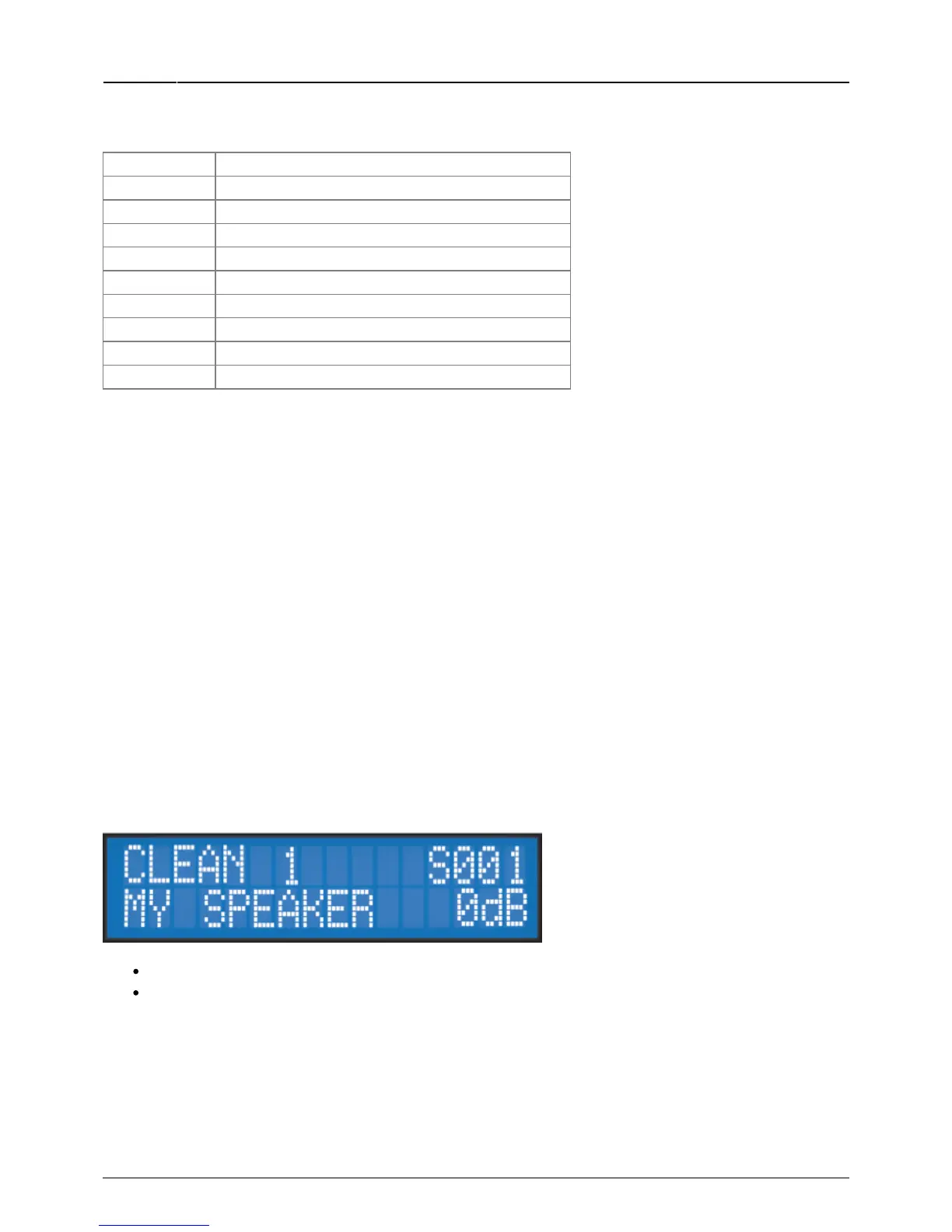
The PERFORM menu is the default menu you will see when first using the Torpedo C.A.B. The following
information will be displayed on the screen:
First line: preset name, preset type (Arcade or Simulation) and number (between 001 and 128.)
Second line: Cabinet name (or IR name) and output volume (OUT LEVEL between -95dB and
+12dB).
In this menu you can navigate in the presets and set the output volume of the unit. You will be in this
menu when playing without editing or modifying any parameter. This way you can have a fast access
to the volume in case you have to quickly lower or increase the volume in any situation.
We recommend first to search for a preset close to the sound you have in mind, then tweak the



 To Next Page