EN
Operation Guide
14
Operation Guide
15
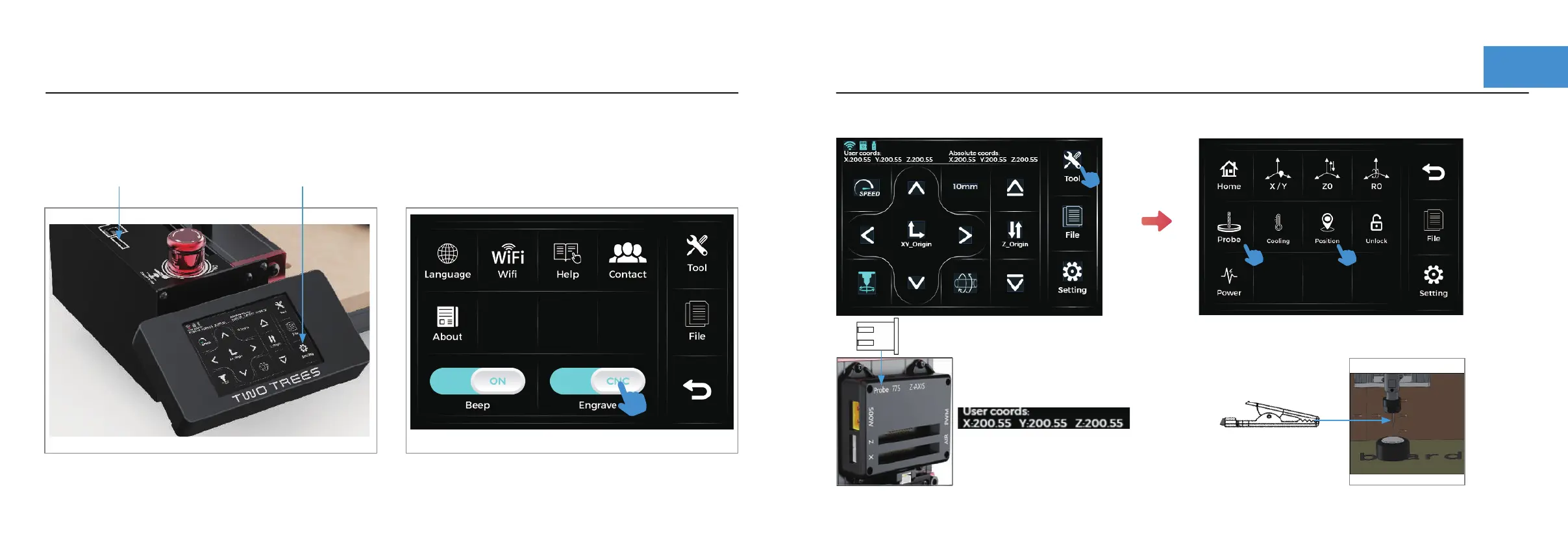
The user coordinates after
successful probe will show
X: 0 Y: 0 Z: 24.5
Connecting the probe to the
back of the Z-axis
Place the Probe on the surface of the material,
click on position and then click Probe
Step 5 :Setting the origin of coordinates
Note: Only one click is
required to position
Step 4 :Function switch
Click Setting
Switch to CNC mode
Save the nc file to
TF card, Power on
Z+
Z-
X+
Y+
Y-
X-


 To Next Page