Step 19
Test
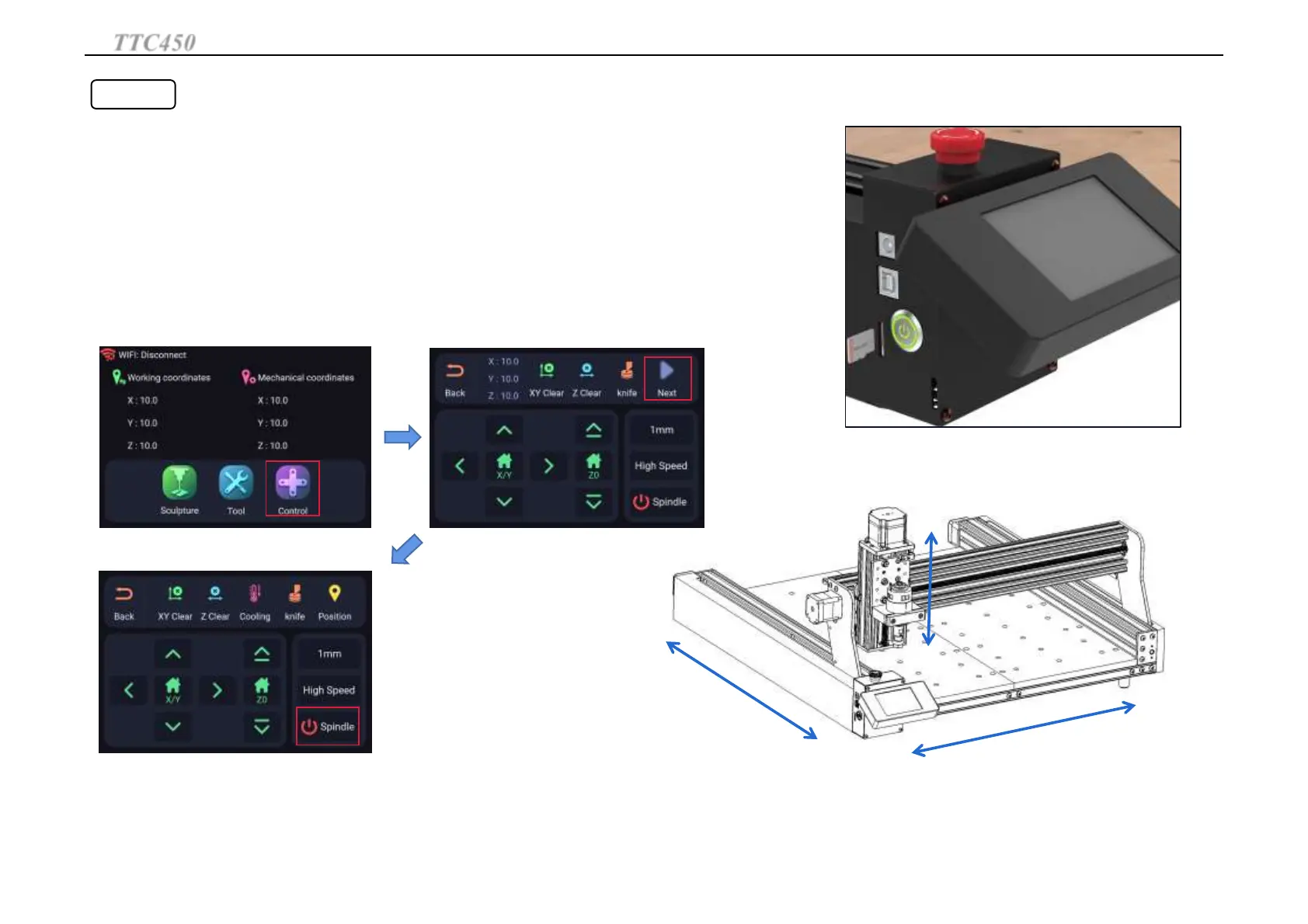
Make sure the emergency stop switch is popped up, plug in the power and press the metal switch,
the green light will be on.If the screen lights up, the power on is normal. If the screen does not light up,
after power off, exchange the screen line position to reboot.
Click the "Control" button and move XY-axis to the bottom left corner of the machine.Click
XY Clear and Z Clear .Then move the XY axis away from the corner.
Click "NEXT", click "HHome" to return to corner.XYZ axis will return to the bottom left
corner of the machine.
Click "Spindle" to rotate the spindle. Click "Spindle" again to stop the spindle.
Y+
X-
X+
Z-
Z+
Y-
Z+
Z-
Y+
Y-
X- X+
TTC450
Set up TTC450
24



 To Next Page