1 . Assembly
Please reference 《Woodpecker CNC Assembly Guide》.
2. Debugging
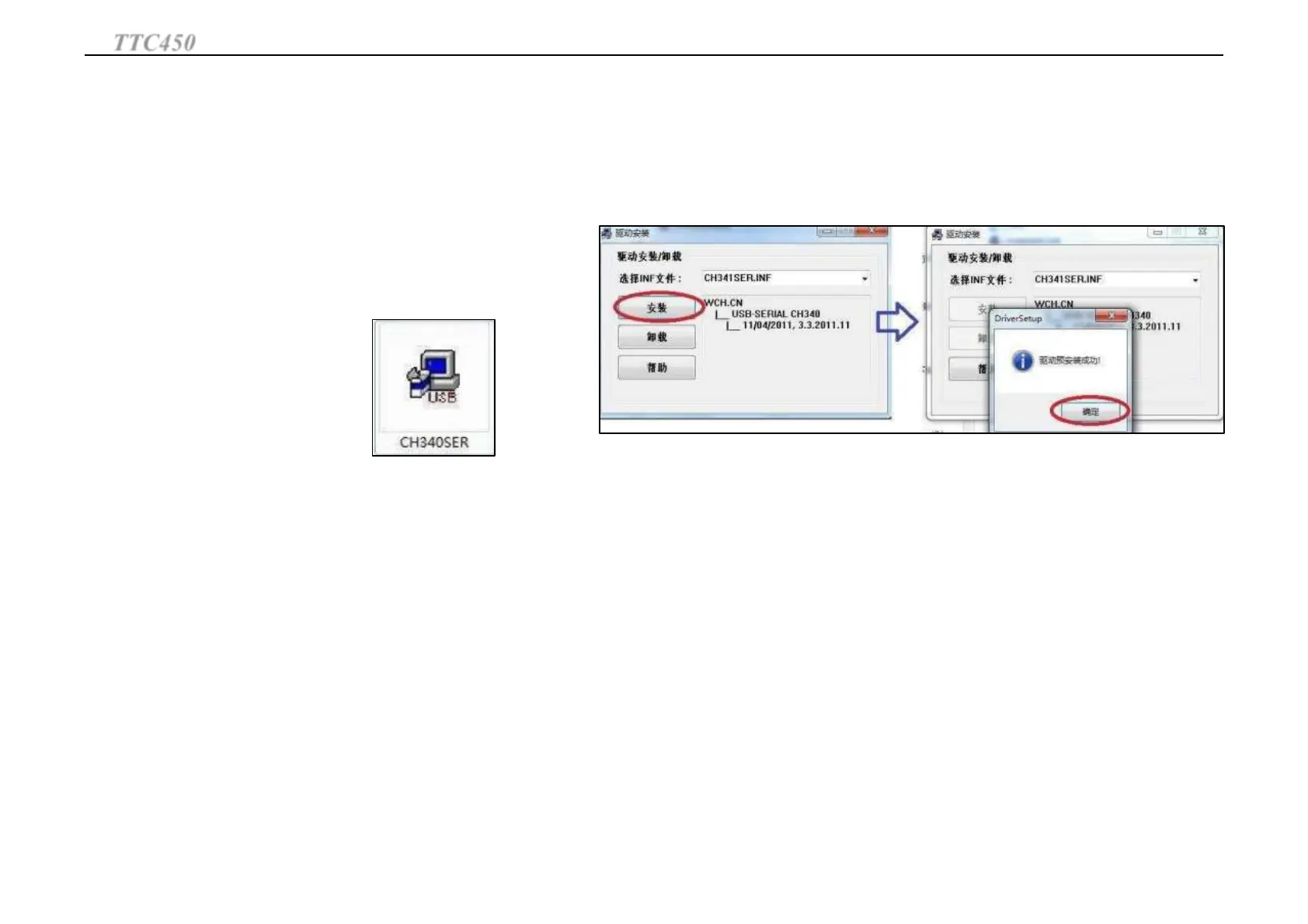
Install CH340 drive Program.
Double-click CH340SER --Click Installation— Wait for the
installation program to end.
(This drive program Supports XP32/64WIN7 32/64)
Right-click My Computer-Management-Equipment manager-Port, check whether there is
CH340 Port number. If installation success will appear COMx, remember the number after
COM
TTC450
Operation Guide
28
Engraving with computer



 To Next Page