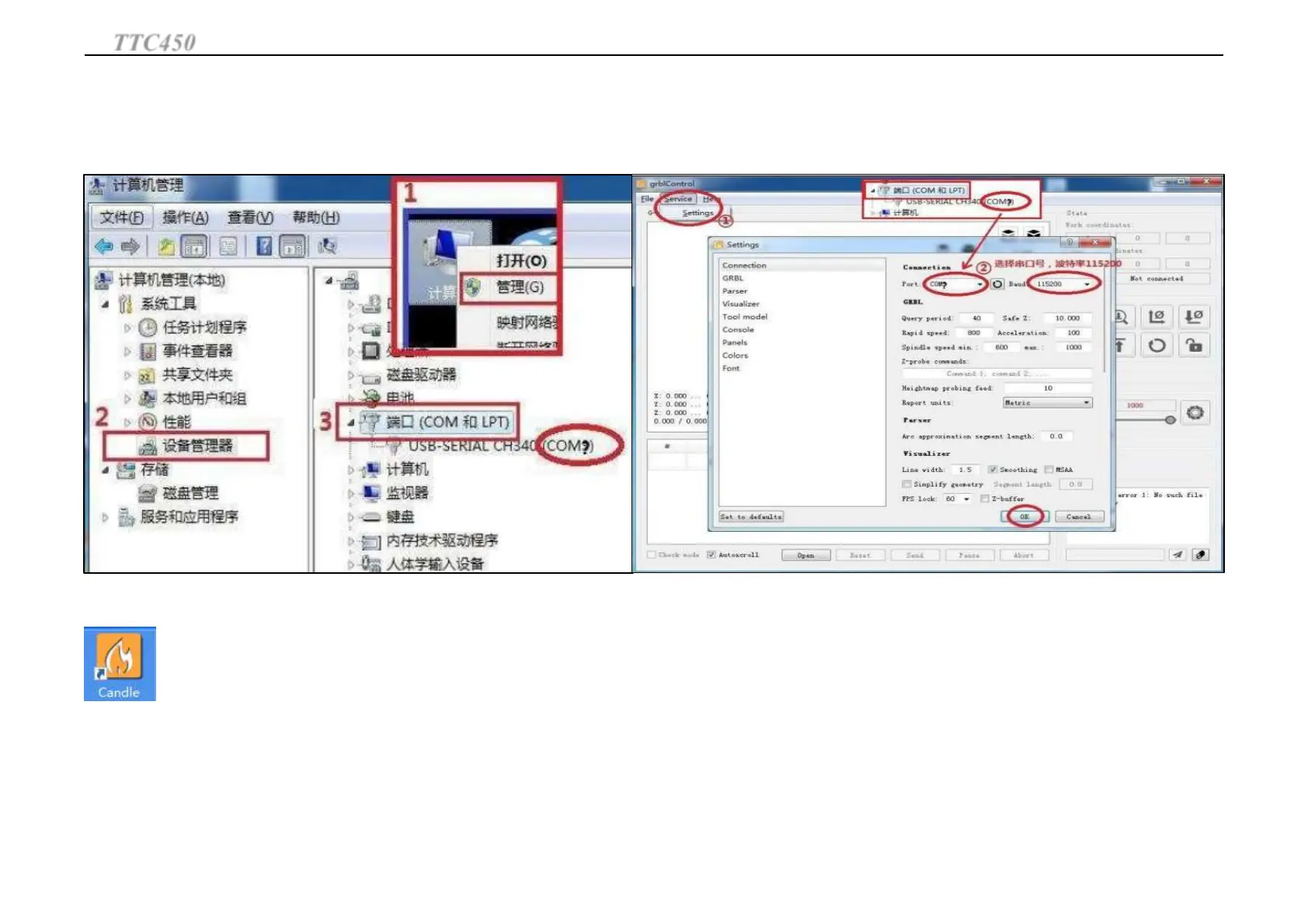
Use Candle(Control Software) to connect machine:
Open Control Software Candle. This software is for
control CNC 3 Axis carving. First of all set port
number, and then return to the main interface of
software,software will connection machine
automatically.
The port number must be the same as last step, otherwise software can not connect the
machine.
If connect machine successfully the main interface will display: [CTRL+X] < Grbl 0.9j ['$' for
help]. If no this display or display other information it means connection failure. Please check
whether you have followed all the steps. Or close software, pull out USB wire. And connect USB
wire-open software-set port number-connect machine again.
Grblcontrol The main interface introduction:
TTC450
Operation Guide
29



 To Next Page