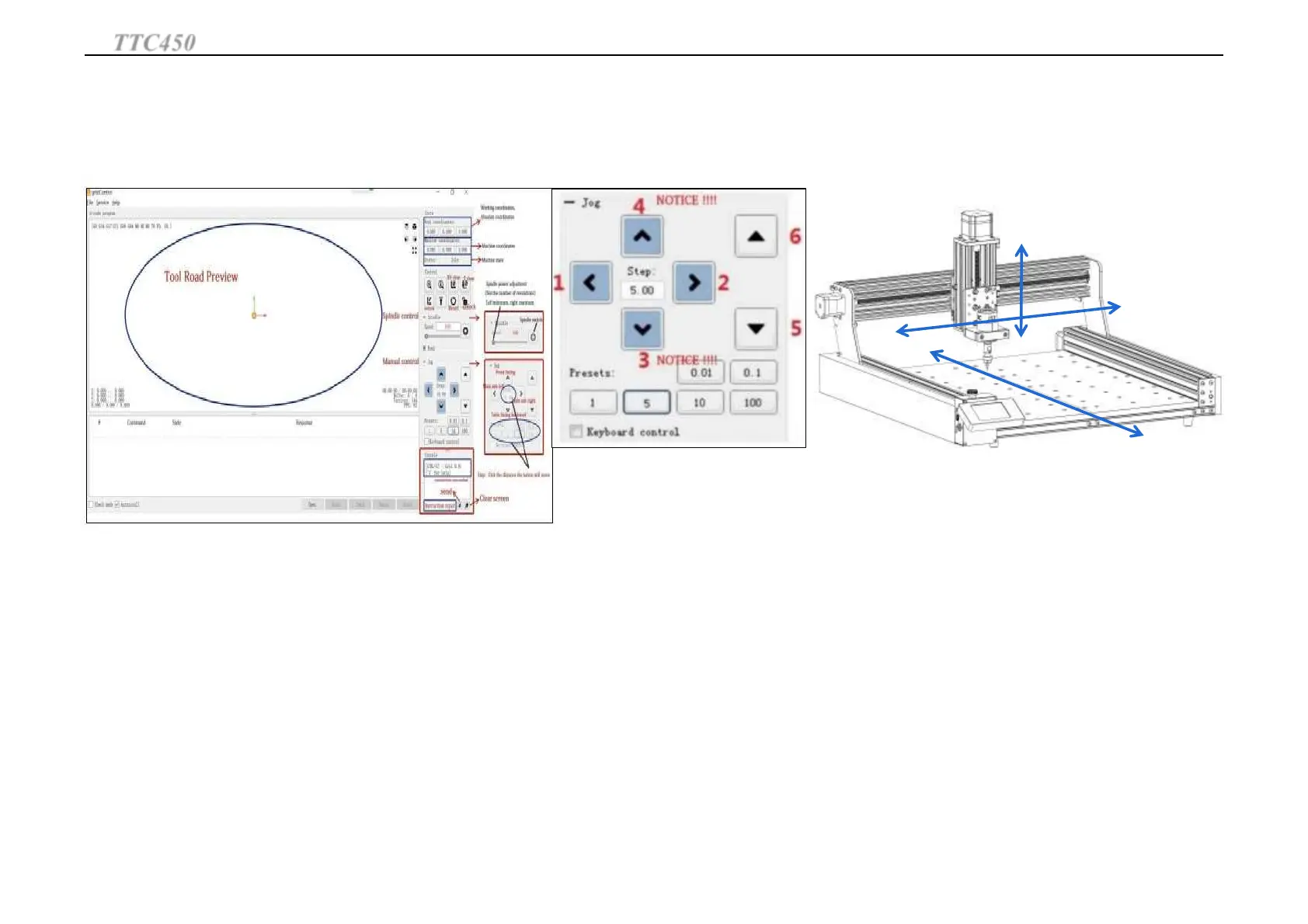
Direction check: check whether the machine moves the same
direction when you click on the software
If you click the button,The machine is not moving in the corresponding numberical
direction,that means the stepper motor in this direction is reversed . Please exchange
the motor wire on the control board.
After direction checking we can start to work.
Cutter setting: to set the position where we start to work. Move cutter to the position, click XY and
Z axis coordinate zero clearing,then it will start to engrave at this point.
1
2
5
6
3
4
TTC450
Operation Guide
30



 To Next Page