Need help?
Do you have a question about the TYAN Tiger MPX S2466 and is the answer not in the manual?
Lists essential components included in the retail motherboard package for installation.
Details the physical and electrical characteristics of the motherboard, including processor, chipset, memory, and expansion slots.
Outlines supported operating systems and tested software configurations for the motherboard.
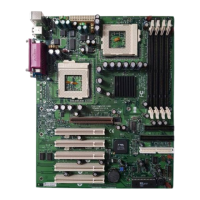
Provides a visual representation and identification of the S2466 Tiger MPX motherboard's layout and key components.
Explains the purpose and configuration of various jumpers on the motherboard for system setup.
Describes the function of the front panel connector (J12) for chassis LEDs and switches.
Details the procedure for resetting the CMOS settings using the J21 header.
Guides on setting CPU front side bus speed jumpers and forcing the PCI bus to 33MHz.
Describes connector functions for optional LAN, secondary USB, and reserved SMBus.
Explains headers for chassis intrusion detection and front panel LAN activity LED.
Details the auxiliary drive power connector (J98) and the locations of fan connectors for cooling systems.
Provides instructions and diagrams for correctly installing the motherboard into a computer chassis using support studs.
Explains RAM types, key considerations, and the procedure for installing memory modules into the motherboard slots.
Guides on installing AMD processors and their corresponding heatsinks, ensuring proper seating and cooling.
Covers attaching IDE cables to drives and connecting them to the motherboard's primary and secondary IDE channels.
Describes how to identify and install expansion cards into the appropriate PCI and AGP slots on the motherboard.
Details the motherboard's rear ATX port stack for connecting keyboards, mice, USB, serial, and printer devices.
Details the motherboard's power connector requirements and options for installing various ATX power supplies.
Final checks for cable connections and jumper settings before closing the computer chassis.
Explains how to navigate the BIOS setup utility, access help, and general advice on configuration changes.
Covers basic system time, date, and floppy drive settings in the BIOS.
Details BIOS options for I/O device interfaces, USB, serial, and parallel port configurations.
Details BIOS settings related to graphics aperture, ECC memory, and SERR signal conditions.
Covers BIOS settings for keyboard behavior, auto-repeat rate/delay, and I/O device configurations.
Explains BIOS options for PCI slots, bus mastering, latency, and PCI/PnP IRQ assignments.
Covers BIOS settings for system security, including supervisor and boot passwords.
Details BIOS settings for power saving features like ACPI, standby, and system resume.
Details BIOS settings for boot device order and priority.
Explains how to save or discard changes and exit the BIOS setup utility.
Provides information on interpreting audible beep codes to diagnose hardware errors during system startup.
Explains the use of the BIOS flash utility for updating the motherboard's firmware and where to find necessary files.
Lists available support channels, including FAQs, website, dealer contact, and user groups.
Outlines the process for returning products for warranty service, including RMA requirements.
 General
| Form Factor | ATX |
|---|---|
| CPU Socket Type | Socket A |
| Chipset | AMD 760MPX |
| Memory Slots | 4 |
| Memory Type | DDR SDRAM |
| Maximum Memory | 4 GB |
| Onboard Video | No |
| Onboard Audio | No |
| SATA | 0 |
| Expansion Slots | 1 AGP Pro, 5 PCI |
| IDE | 2 x IDE |


 To Next Page