3 - 12
1. When the PTO control switch is in manual position the PTO does not stop rotating even if the clutch pedal is
pressed. If working on hard soils,pavements with a rotary implement the PTO ON/OFF switch must be put to
the OFF position to stop the PTO from rotating , If this is not done the rotating blades of the implement will push
on the hard ground below and in turn push the tractor toward causing accident which can lead to serious injuries
or death.
2. Extra precaution must be taken to clear the area of bystanders/onlookers when using PTO driven implements. The rotating blades
of the implements can cause serious injuries on contact. The warning that is indicated by the blinking PTO monitor is to make
the operator aware that the PTO is in on position and will instantly start rotating if the clutch pedal is released or implement is
lowered or both.
3. In no case the specied rotating speeds indicated by the implement manufacturer be crossed as the same can lead to serious dam-
age to the tractor/equipment and can lead to serious injuries to persons around.
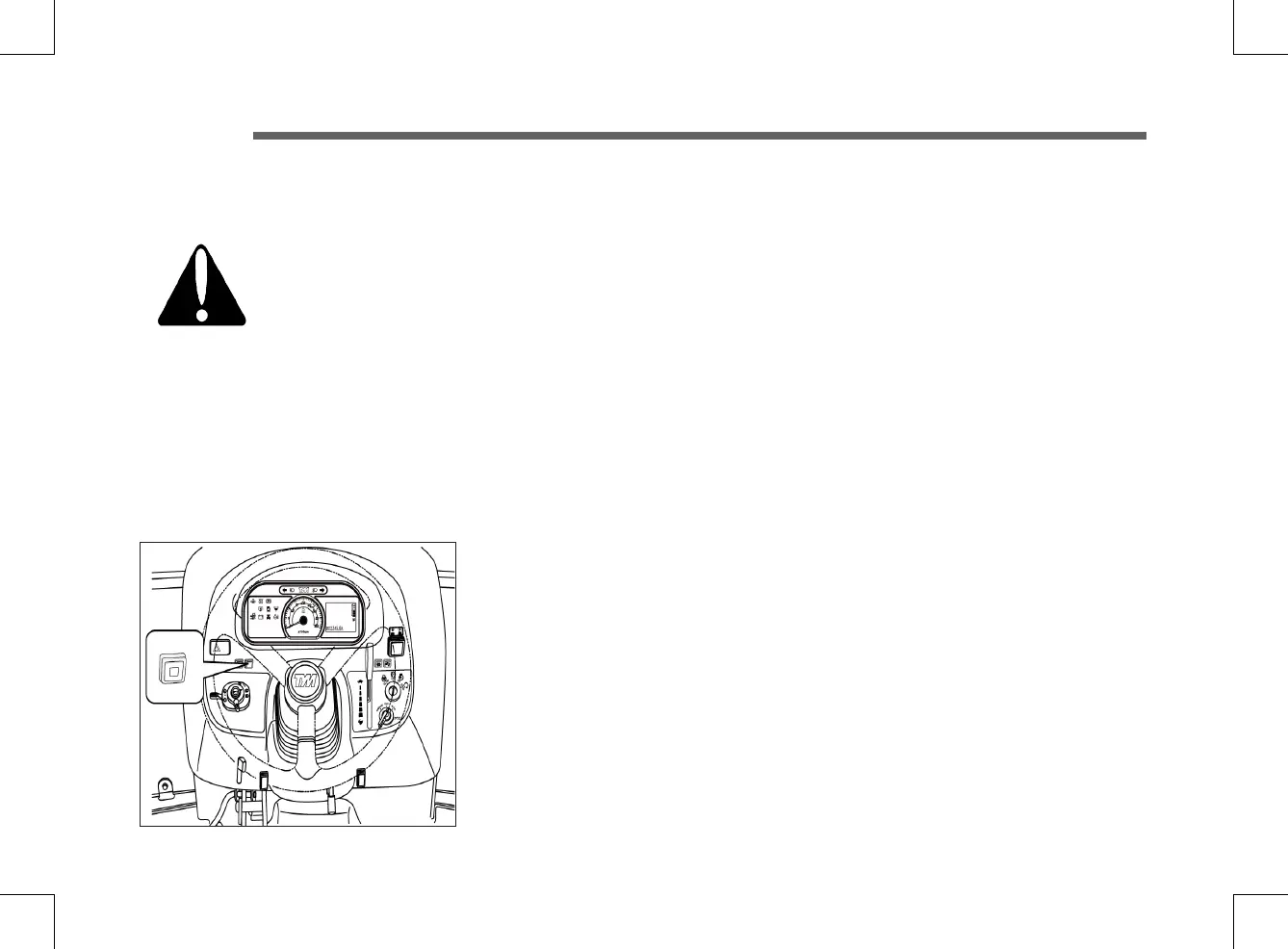
► CRUISE CONTROL BUTTON
■ Engaging Cruise Control
– Depress the forward speed control pedal until the required speed is achieved.
– Press the cruise control button to engage cruise control.
– Release the forward speed control pedal.
– The cruise control is only operational when the machine is traveling forward.
■ Disengaging Cruise Control
To disengage the cruise control you can either press the cruise control button or depress the
brake pedal.



 To Next Page