2008 5 DSTOPTRS
17.When filling the sweeper dust control system water tank, make sure the drain
valve is closed. If the sweeper is equipped with a water system air purge option,
make sure the manual actuated valve is set to sweep position when the system
is not being purged.
18.Check fuel tank level and top off if necessary.
B. DST-6 SWEEPER RUNNING CHECKS
Use the auxiliary hydraulic system to lower the pick-up head before cranking the
auxiliary engine. This will prevent dust from blowing out from under the pick-up head
when auxiliary engine is started.
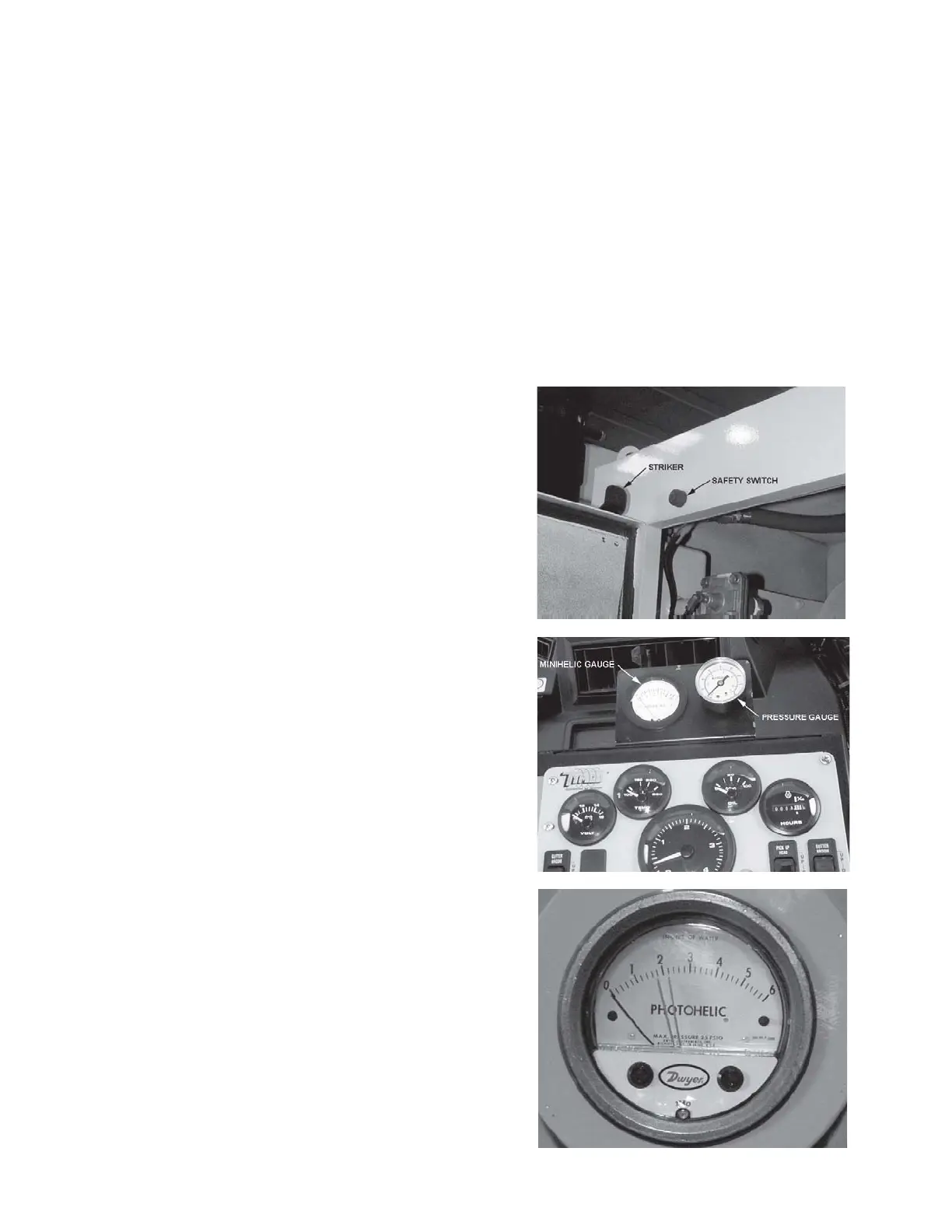
1. Start the auxiliary engine and allow to
run, set RPM at 1800. Turn on the DC
mode switch. Observe the pressure
gauge on the sweeper console to climb
to 95-100 PSI and stop. Turn on the fil-
ter purge switch 15-17 seconds after
turning on the purge switch a loud pop-
ping sound should occur indicating the
DST-6 filter purge system is working.
NOTE: A safety interlock system re-
quires the large access door to be
closedbefore the purge system will dis-
charge. (Photo M01363)
2. A Minihelic filter restriction indicator
gauge is located next to the pressure
gauge. Restriction readings below 6"
water column indicate good filters.
Readings of 6" to 8" should be pulsed
down below 6". To pulse filters, stop
forward travel and allow pulse to purge
the system 5 to 15 minutes before pro-
ceeding to sweep. (Photo M01376)
NOTE: Sweeper may not sweep dust-
less if filter restriction is 9" or above!
Readings above 9" may require opera-
tor to remove and wash the 4 large fil-
ters to reduce filter restriction down
into the sweepable range.
3. After the sweeper has run for several
minutes, check the photohelic gauge
face located on the DST-6 filter box
just behind the Left-hand driver seat.
The black indicator needle should be
between the two red set point needles.
(Photo M01314)
M01363
M01314
M01376



 To Next Page