DSTOPTRS 6 2008
4. Check the gutter brooms for proper function. Back off the gutter broom eyebolt
for more down pressure and reach if needed.
5. If unit is equipped with a BAH (Broom Assist Head), check broom pattern and
reset if necessary. See Broom Assist Daily Service under Pick-Up Head section
for instructions to set the broom pattern.
6. Turn on the water system and check all spray nozzles for correct spray pattern,
especially the hollow cone hopper water nozzle for water output.
SWEEPING OPERATION - DST-6
The DST-6 has been designed to sweep in two separate operational modes, the dustless
mode option where the sweeper performs with very little blow-out of dust around the pick-up
head and a standard sweeping mode
for sweeping in wet weather or any other condition
not requiring dustless operation.
A. DUSTLESS MODE OPERATION:
Drive sweeper to street location, using the auxiliary hydraulic system (AHS), lower
the pick-up head and pull sweeper forward to seat the pick-up head rubber seal cur-
tains. Switch off AHS switch, switch on the DC mode switch and start the auxiliary
engine. Set Engine at 1800 RPM and observe pressure gauge at the top of the con-
trol panel. When the needle reads 95-100 PSI, switch on the purge switch. Turn on
the water system main switch and hopper water switch. Sweeper is ready for opera-
tion in dustless mode. Turn on the appropriate gutter brooms and water nozzles.
CAUTION! Do not back up sweeper with the pick-up head or gutter brooms
in down position or severe damage may occur!
While sweeping, monitor filter condition by observing the filter restriction gauge at the
top of the console next to the pressure gauge. If the sweeper starts making exces-
sive dust and restriction indicator needle is above 8", stop forward travel and throttle
down to 1400 RPM. Allow the unit to pulse filters for five minutes. This should reduce
filter restriction and allow the sweeper to resume sweeping.
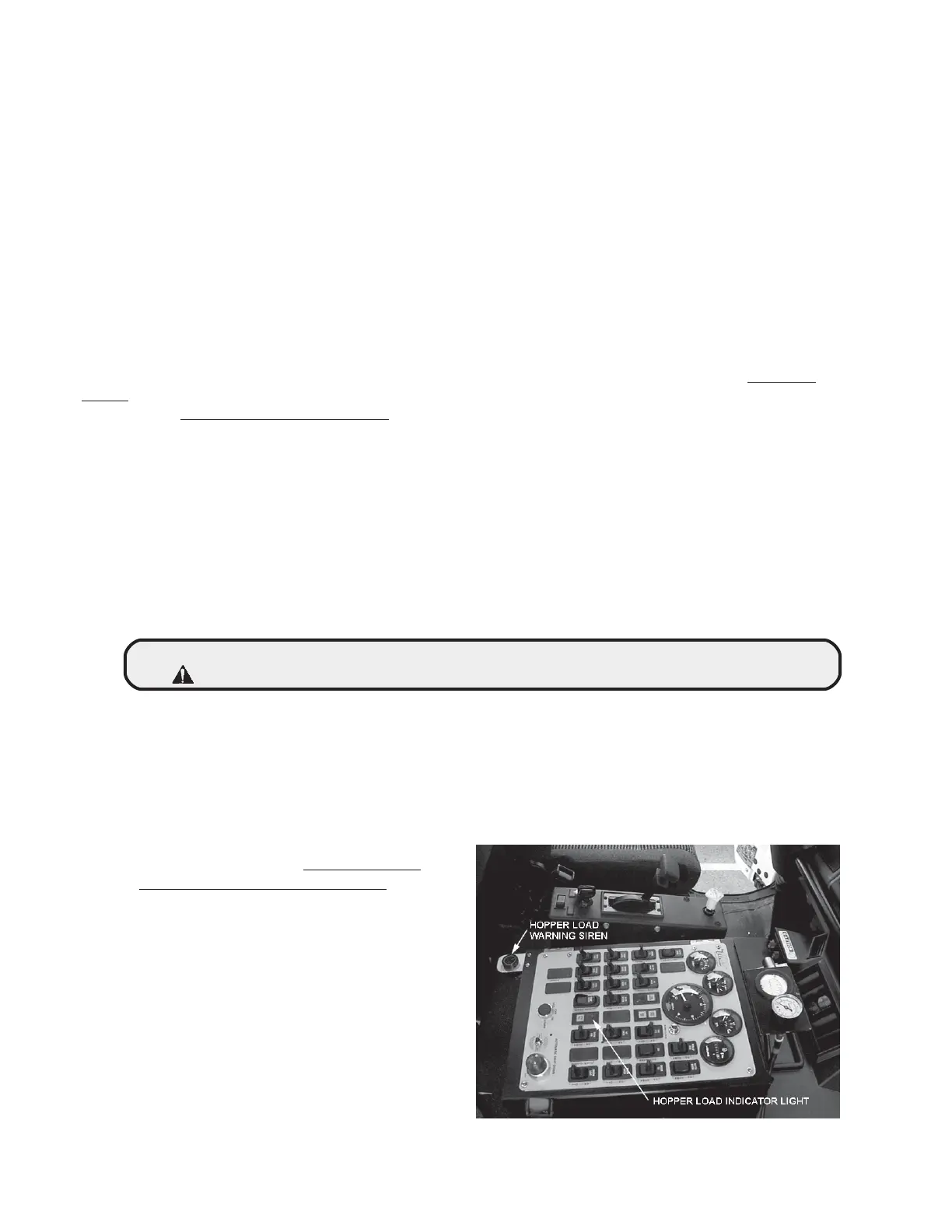
Continue to sweep until route is
cleaned or hopper load indicator light
and siren come on. Do Not over-
load and overfill the hopper. Dump
the unit when the hopper load indica-
tor comes on! Overfilling the hopper
will cause severe wear damage to
the blower and blower housing com-
ponents. (See M01377)
At the dump site, completely empty
the hopper by opening and closing
the dump door several times. Next,
open left side inspection door and
raise separator door using the pull
cable. Slam the separator door
closed by pulling out cable handle
M01377



 To Next Page