10
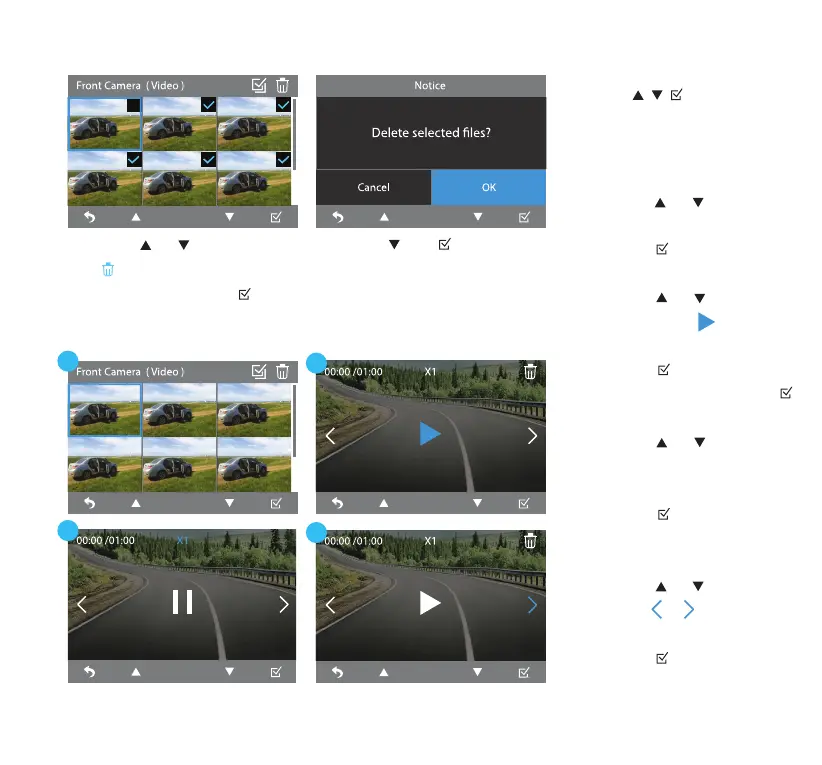
• Use the buttons to
deselect the les you don't
want to erase.
Press the and / OK button
to conrm the erase.
Press the or button until
the icon is highlighted in
blue and then press the / OK
button to erase the selected les.
Erase Files
Play Video Files
1. Press the or button to
cycle through the gallery.
Press the / OK button to
open the selected video le.
2. Press the or button
again until the icon is
highlighted in blue and then
press the / OK button to
play the video le. Press the
/ OK button again to pause.
3. Press the or button
until the X1 icon is
highlighted in blue and then
press the / OK button to
adjust video speed to X2, X4,
X8, X16, X32 or X64.
4. Press the or button
until the or icon is
highlighted in blue and then
press the / OK button to
go to previous or next video.
1
3
2
4



 To Next Page