21
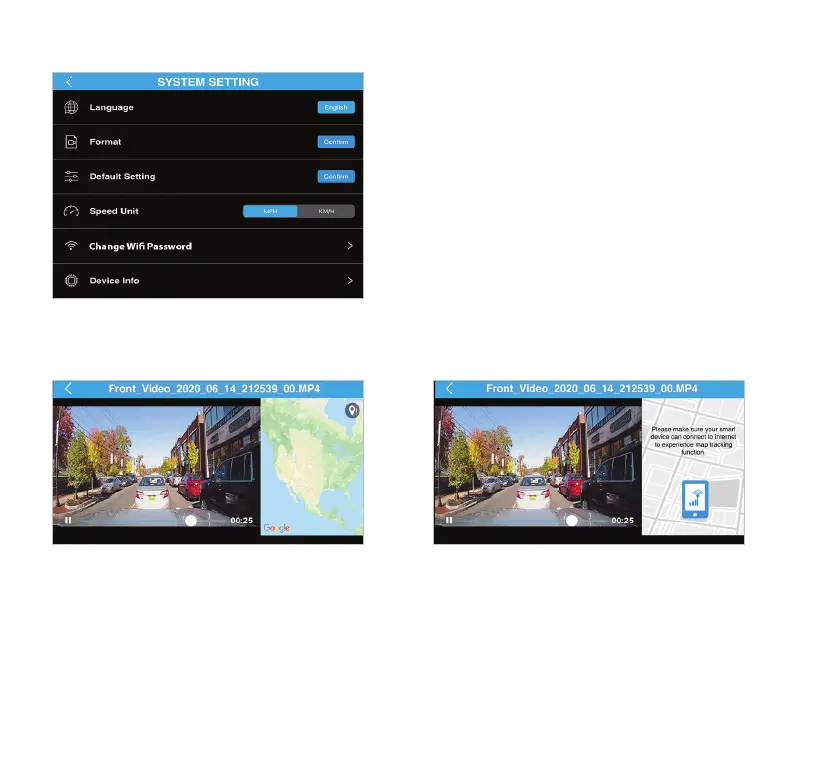
• Language - Default language is English.
• Format - Erase everything on the MicroSD card.
• Default Setting - Reset the Dash Cam to default
settings
.
• Speed Unit - Select your desired speed unit.
• Change WiFi Password - Change the Dash Cam's
WiFi password.
• Device Info - Shows the Dash Cam's current rmware
version.
System Setting (continued)
GPS Signal Status 1 GPS Signal Status 2
This status indicates GPS receiver is waiting for GPS
signal when the footage is recorded. GPS trip data
will resume once it picks up the signal. If this status
appeared repeatedly please call our technical
support to assist in troubleshooting.
This status indicates map tracking is not
working. Mobile data must be turned on for
map tracking to process.



 To Next Page