10
OPERATION CONT.:
Defrosting steps are as below:
• Remove the contents from the Blizzard Box and store them in
another cooler if necessary.
• Disconnect the power of the Blizzard Box. Open the lid, and
keep it open until the ice and frost melt away.
• Use clean cloth to wipe up the defrosted water.
Never use hard or pointed tools to remove ice or to loosen objects
which have frozen in place.
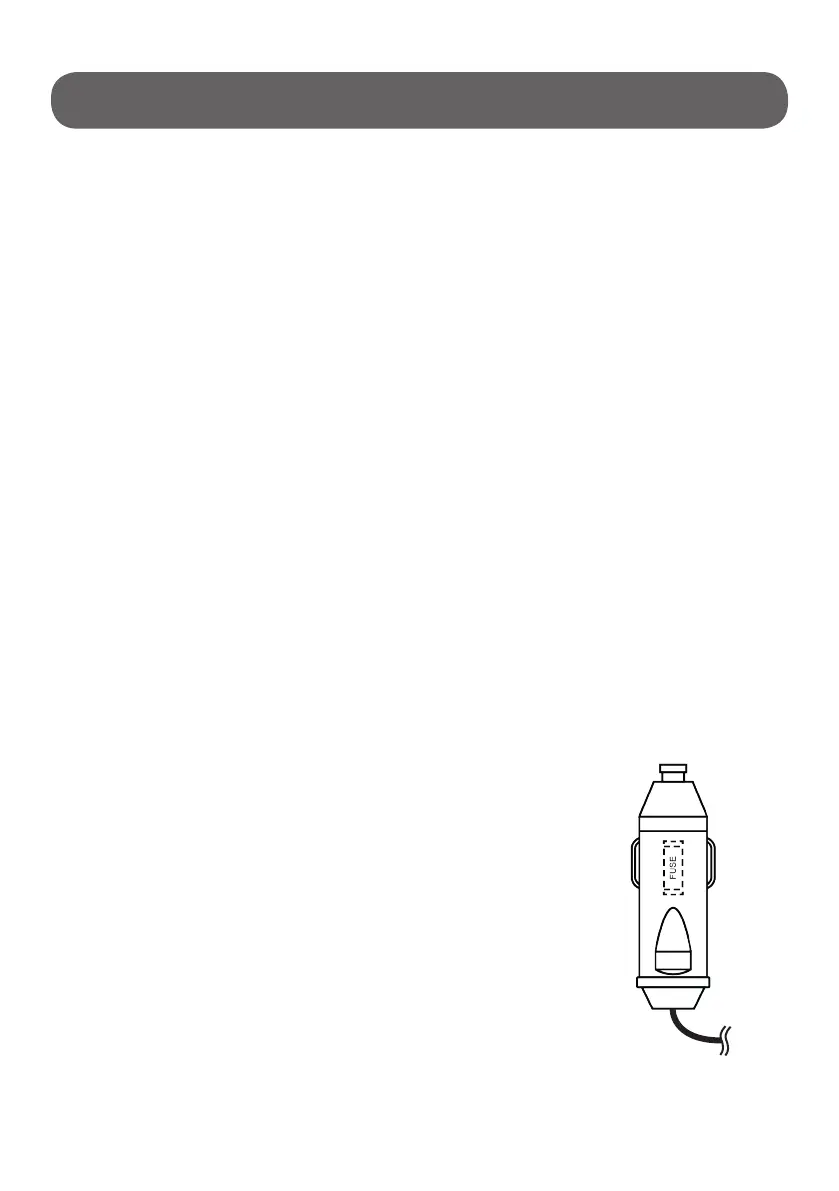
Replacing a defective fuse:
• Unplug the DC power plug;
• Turn the cap counter-clockwise to open it, and
remove the defective fuse from the plug;
• Insert a new fuse that has the same rating
(15A 250V);
• Close and tighten the cap.
WARNING: Always disconnect Blizzard Box from power before
cleaning or servicing.
• Occasionally clean the device interior and exterior with a damp cloth.
• Clean heat dissipation window frequently to ensure good heat
dissipation.
• Do not turn Blizzard Box on its side or upside down. Keep upright.
Defrosting: Humidity can form frost in the interior of the cooling
device or on the evaporator. This reduces the cooling capacity.
WARNING: Do not use abrasive cleaning agents or hard objects
during cleaning as these can damage the Blizzard Box.
Cleaning and Maintenance


 To Next Page