7
WARNUNG: Die TravCa Dash 360 darf nicht an einer
Stelle montiert werden, an der sie das
Sichtfeld beim Fahren beeinträchtigt.
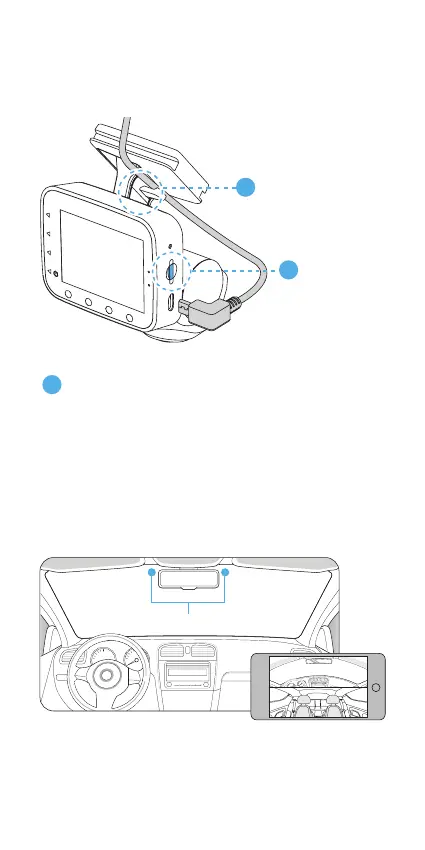
Die optimale Montageposition mit Hilfe des Live
Bildschirms in der Type S Drive App bestimmen.
Empfohlene Montageposition
3
MicroSD-Karte
(12 GB
vorinstalliert,
maximal 128
GB möglich)
Das Kabel durch den
Kabelhaken führen
und einstecken.
1
2
4. MONTAGE



 To Next Page