87
14. CONFIGURATION &
MENU SETTINGS
Apply conguration and settings to the TravCa Dash
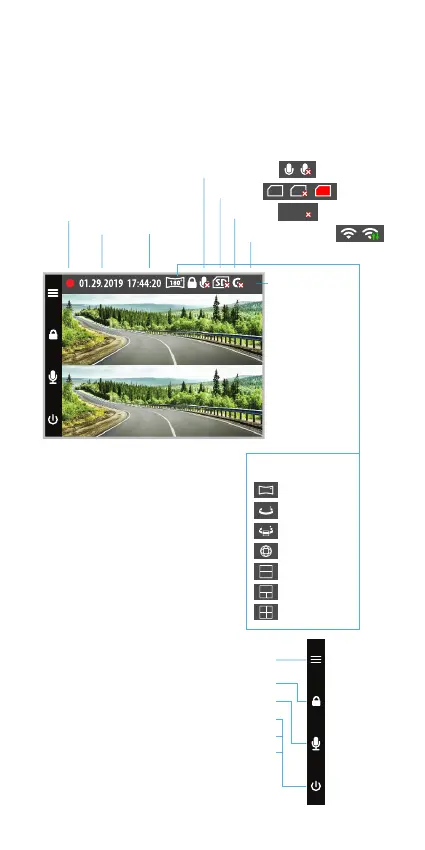
360 using the 4 function buttons. Refer to the screen
display below for the buttons and their corresponding
functions under Video Mode.
Video Mode
Recording
Date Time
Mic On/O
SD Card
G-Sensor
WiFi on/connected
No WiFi
180˚ Panorama
360˚ Panorama
360˚ VR
Fish Eye
2 in 1
3 in 1
4 in 1
Display Mode
360
180
360
SD SDSD
GG
Setting (press once)
Lock/Unlock Video (press once)
Lock/Unlock Video (press once)
Turn On/O screen (press once)
Master On/O (press & hold for 3 sec)
Factory version rmware recovery
(press and hold while plugging in MicroUSB
cable to power on the TravCa Dash 360
and keep holding for more than 10 sec)



 To Next Page