• Press and hold the front Power button to turn on your
Typhoon™ Speaker (The Typhoon™ Speaker will audibly say
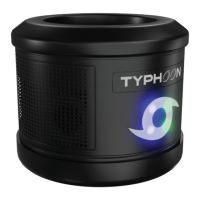
“Power On”). The LED typhoon symbol on the front of the
speaker will light up blue. Your Typhoon™ Speaker will say
“Bluetooth Pairing”. Your speaker is now in pairing mode.
• Make sure that your Bluetooth® transmitting device is in
close proximity to your Typhoon™ Speaker when pairing.
• Turn on your Bluetooth® transmitting device, turn on the
Bluetooth® function and then enter pairing mode. For more
information, see the instructions that came with your
Bluetooth® transmitting device.
• In the Bluetooth® settings on your Bluetooth® transmitting
device, select the appropriate “TYPHOON_SPK_CAT3”
device. When your Typhoon™ speaker and your Bluetooth®
device are connected, the LED typhoon symbol on the front
of the speaker will be solid blue and the speaker will audibly
say “Bluetooth is connected”.
• If having trouble finding Typhoon™ Speaker as an available
Bluetooth® device on your phone, ensure you ‘disconnect’ or
‘forget device’ from any previous phone that it may have been
synced with.
CONNECTING TO AN AUDIO DEVICE:


 To Next Page