45
4. Ethernet Connection and Configuration
When connecting the printer to the Host PC, you can:
1. Direct Cable Connection:
Use the supplied Ethernet crossover cable to create a
direct cable connection to your Host PC.
Note:
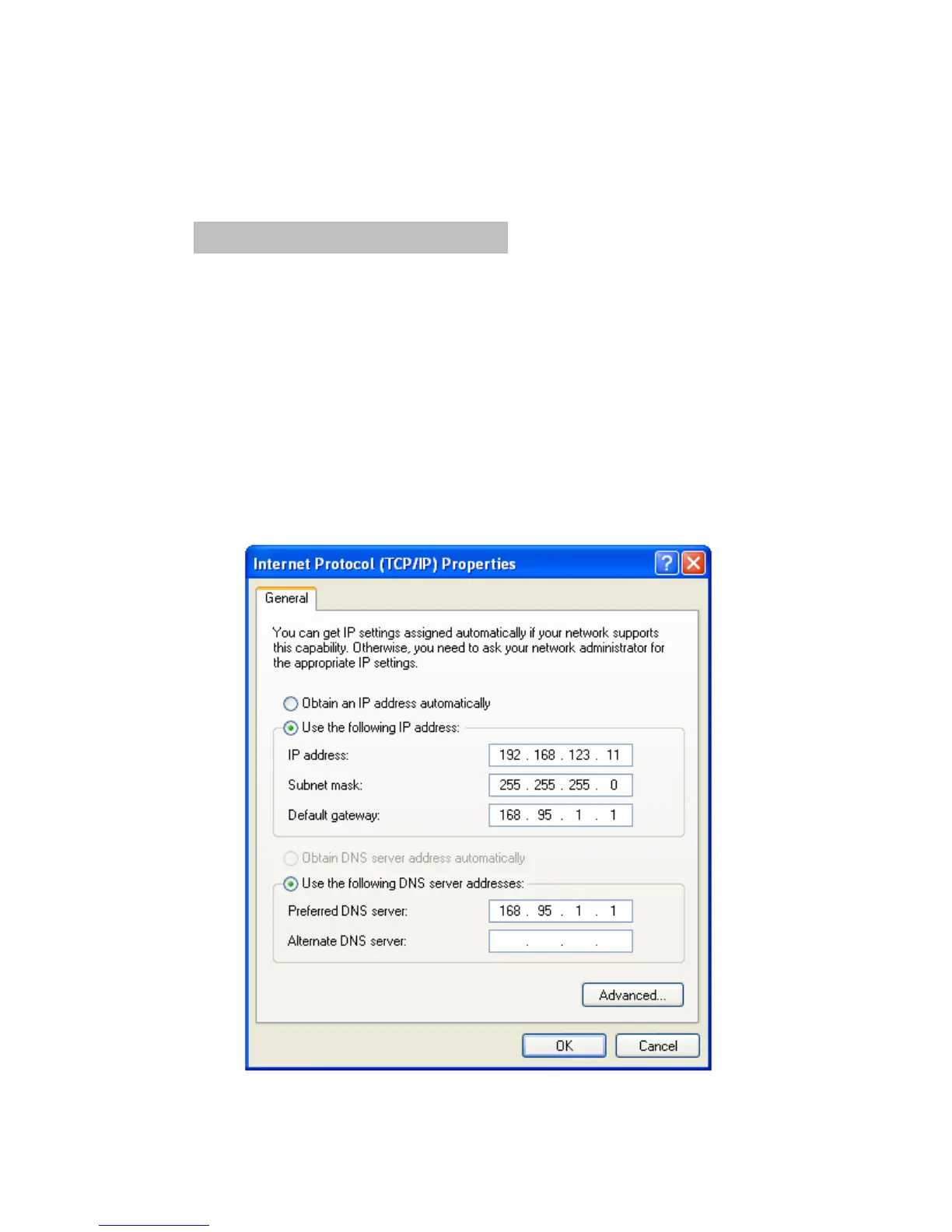
Be sure to assign the IP address of the Host PC under
the same subnet as your Printer
e.g.: Printer: 192.168.123.100
Host: 192.168.123.xxx
Assign the IP address of the Host PC
(Direct Cable Connection)


 To Next Page