49
IP Reconfiguration
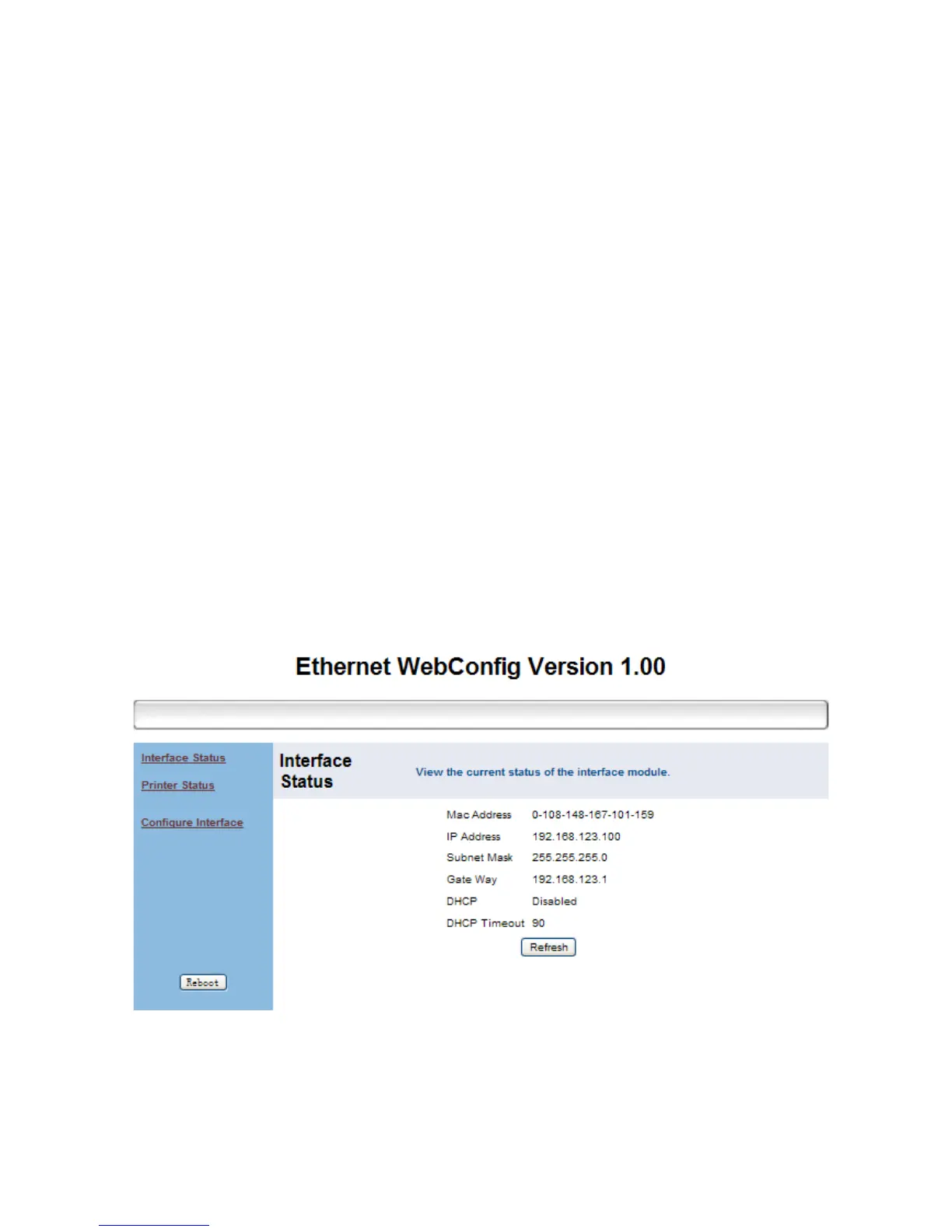
You can open the web-browser and type the IP address to
access the Ethernet WebConfig utility.
Note:
When first re-configuring the IP address of the printer,
you may need to use the supplied Ethernet crossover cable
to establish a direct cable connection to your Host PC and
start IP re-configuration.
Interface Status
This menu displays the current configuration data of the
printer. Click “Refresh” to acquire the newest data.


 To Next Page