- 35 -
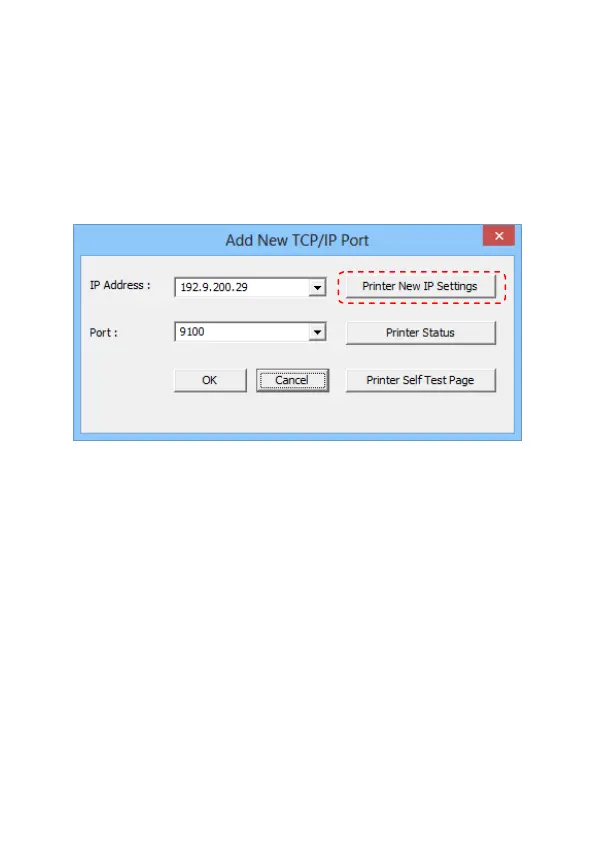
Add New TCP/IP Port:
IP Addresses of all the Printers that are attached over the
network are shown in “Add New TCP/IP Port” dialog.
IP Address:
The present IP address setting of the printer. Select a correct
IP address for the printer.
Printer Self Test Page:
User can click “Printer Self Test Page” button to print out the
test page.
Set Parameters:
Click “Printer New IP Settings” button to configure the
Printer parameters settings (see next page).


 To Next Page