- 36 -
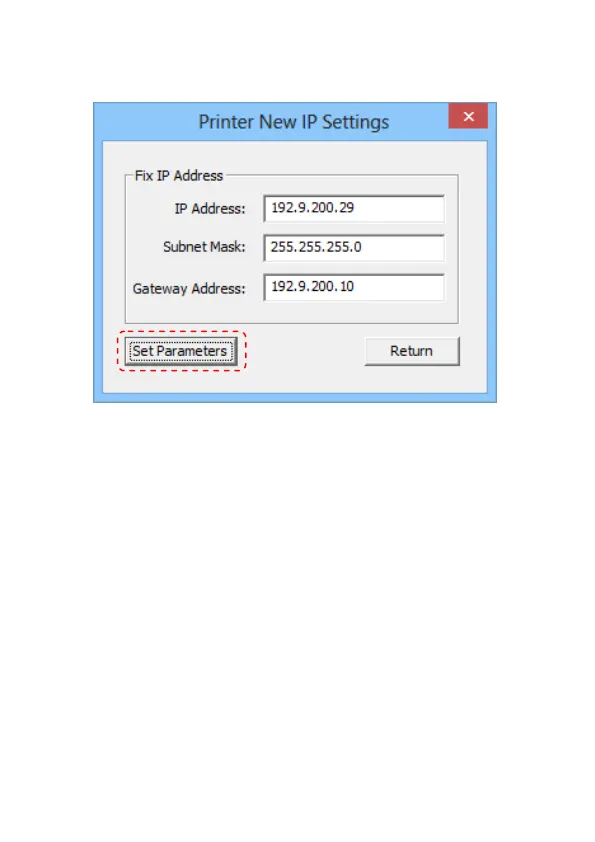
Printer New IP Settings:
:
User can enter the New IP address, Subnet Mask, and
Gateway Address manually.
Click “Set Parameters” button to confirm the new parameters
of Printer.
Note: Reboot the Printer
The printer will reboot automatically and return to the
previous menu after the new parameters are confirmed.
Cancel:
User can click “Return” button to cancel the new IP settings
and return to the previous menu.


 To Next Page