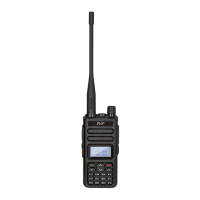
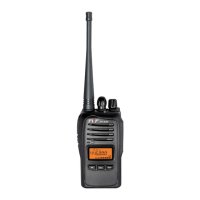
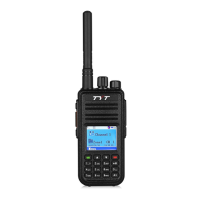
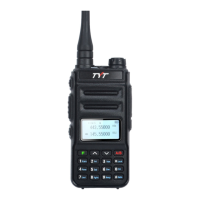
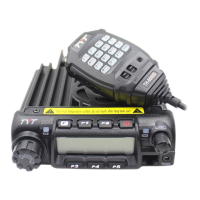
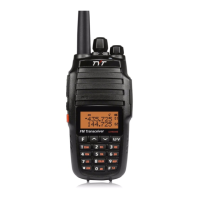
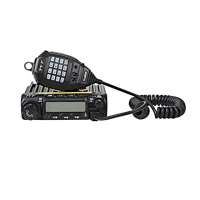
The TYT GMR25 is a mobile transceiver designed for two-way radio communication, particularly for drivers, emphasizing user-friendliness, stability, and advanced features. It offers a compact size and reasonable price, making it a valuable tool for amateur radio enthusiasts.
Function Description:
The GMR25 mobile radio provides robust and stable communication with a focus on ease of operation. It features a newly developed function menu and a humanistic operation design. The transceiver supports 200 programmable memorized channels, allowing users to edit names for easy identification. It can program different CTCSS, DCS, 2Tone, and 5Tone signaling per channel, enabling rejection of unwanted calls from other radios. The device supports different bandwidths per channel, including 25K for wideband operation. Five programmable multi-functional keys allow for various shortcut operations, customizable to user requirements. Optional features include IP67 waterproofing and GPS capabilities.
Important Technical Specifications:
General:
- Frequency:
- Tx/Rx: 462.5625~462.7125 MHz
- Tx/Rx: 462.5500~462.7250 MHz
- Tx: 467.5500~467.7250 MHz
- Rx: 462.5500~462.7250 MHz
- Channels: 200
- Frequency Stability: ±1ppm
- Operating Temperature: -30°C to +60°C
- Operating Voltage: 13.8V DC
- Dimensions: 107x125x45mm
Transmitter:
- Output Power:
- Tx/Rx: 462.5625~462.7125: 5W
- Tx/Rx: 462.5500~462.7250: 25W
- Tx: 467.5500~467.7250: 25W
- Transmitting Current: 4A@13.8V
- Standby Current: 0.2A@13.8V
- FM Modulation: Wideband: 16K0F3E
- Modulation Distortion: <5%
- FM Hum and Noise: ≥45dB@12.5KHz
- Adjacent Channel Power: ≥70dB@12.5KHz
- Audio Response: +1~-3dB
Receiver:
- Sensitivity: 0.2μV
- Adjacent Channel Selectivity: 60dB@12.5KHz
- Intermodulation: ≥60dB/≥65dB
- Spurious Rejection: ≥70dB
- Audio Response: +1~-3dB
- Audio Distortion: <5%
- FM Hum and Noise: ≥40dB@12.5KHz
- Rated Audio: 3W
Usage Features:
- Power On/Off: Press the power key for 1s to turn on, and 2s to turn off.
- Volume Adjustment: Turn the VOL knob clockwise to increase audio, counterclockwise to decrease. Volume can be adjusted more accurately during communication.
- VFO and Channel Mode Switching: In standby, press the [V/M] key or [VFO] key on the microphone to switch between Frequency (VFO) mode and channel mode.
- Receiving: The screen displays "RX" and field intensity when a channel is called, indicating incoming communication. If the transceiver has a higher squelch level, it might fail to hear calls. If "RX" and field intensity are displayed but no sound is heard, it means a matching carrier is received but signaling is unmatched (e.g., CTCSS/DCS encode/decode or optional signaling setup).
- Transmitting: Press [MONI] to check if the desired channel is busy, then press [MONI] again to cancel the monitor. Press [PTT] to speak into the microphone, holding it 2.5-5.0 cm from your lips for optimal timbre. The LED light turns red and power intensity is shown on the screen during transmission.
- Transmitting Tone-Pulse: Press and hold [PTT], then press the Mic's [V] key to transmit the selected tone-pulse signal.
- Transmitting Optional Signaling: Press and hold [PTT], then press the Mic's [A] key to transmit pre-stored DTMF/2Tone/5Tone optional signaling.
- Channel Edit: Select desired CTCSS/DCS signaling, long press [M/V] to make the channel number flash, turn the selector knob to choose a channel number to store, then press [F] or Mic's [FUN] to save. Press [PTT] or Mic's [MENU] to cancel. In memory channel mode, [MHZ] can store current information into the VFO channel.
- Channel Delete: Long press [M/V] to enter delete memory channel mode, turn the selector knob to select the channel, then press [SCAN] to delete. Channel "0" cannot be deleted.
- Offset Direction and Frequency Setup: Long press [LOW] to display offset direction and frequency. Repeatedly long press [LOW] to select positive (+) or negative (-) offset. [+] indicates transmitting frequency higher than receiving, [-] indicates lower. Press [A/B] or [PTT] to exit. Offset frequency can be inputted via Mic's numeric keys. Temporary settings are erased when the radio is turned off or switched channels.
- Composite Key Operations: Press [F] or Mic's [FUN] (Menu icon flashes), then press a composite key (e.g., "X") to switch lists. Press [F] or [PTT] to exit.
- Beep (FUN+0): Press [F] or Mic's [FUN] (Menu icon flashes), then Mic's [0] to enable/disable keypad tone.
- CTCSS/DCS Frequency Setting (FUN 3/Tone): With CTCSS/DCS active, press [FUN] or Mic's [FUN] (Menu icon flashes), then [Tone] or Mic's [3] to adjust. Turn selector knob to change CTCSS/DCS. [F] switches between CTCSS and DCS settings. Press [PTT] or Mic's [FUN] to exit.
- TOT (FUN+4): Press [F] or Mic's [FUN] (Menu icon flashes), then Mic's [4] to adjust the Time-out Timer. Press [4] to change the time.
- Keypad Lockout (FUN+5): Not explicitly detailed, but indicated as a function.
- Squelch Level Setting (FUN+6/A/B): Press [F] or Mic's [FUN] (Menu icon flashes), then Mic's [6/A/B] to switch squelch levels (0-9).
- LCD Backlight Display Time Setting (FUN+7): Press [F] or Mic's [FUN] (Menu icon flashes), then Mic's [7] to switch backlight display time (Normally open/5s/10s).
- High/Mid/Low Power Selection (FUN+8): Press [F] or Mic's [FUN] (Menu icon flashes), then Mic's [8] to switch power (High/Mid/Low).
- DTMF Current Channel Edit (FUN+9/Scan): Press [F] or Mic's [FUN] (Menu icon flashes), then [Scan] or Mic's [9] to enter DTMF channel edit mode. Use Mic's [M/V] or [Low]/[Moni] to adjust character position, selector knob or microphone to change characters. Press [A/B] to save, [MHZ]/[Menu] to delete, [PTT] to exit.
- Channel Deleted Quickly (FUN+VFO): Press [F] or Mic's [FUN] (Menu icon flashes), then [VFO] to delete current memory channel content. Channel "0" is protected.
- Channel Copied Quickly (FUN+Call): Press [F] or Mic's [FUN] (Menu icon flashes), then [Call] to copy current channel content to the next memory channel.
- Talk Around (FUN+*): Transmitting frequency becomes the same as receiving frequency. Useless without offset frequency.
- Reverse Frequency (FUN+#): Exchanges transmitting and receiving frequencies. If CTCSS/DCS is set, encode and decode are exchanged. Useless without offset frequency.
- Menu Operations: Short press [Menu] or long press [F] to enter menu. Turn selector knob or [+/-] to select menu number. Press [F] to select parameters, then turn selector knob or [+/-] to choose values. Press [F] or [Menu] to save and return to higher menu. Press [A/B] or [Vfo] to cancel. Press [PTT] to exit.
- DTMF Operation: Supports DTMF decoding and encoding. Users can input desired DTMF codes directly or use ANI for radio ID.
- 2 Tone Operation: Supports 2 Tone encode (input first and second tone frequencies, ensuring they are not too similar for correct decoding) and 2 Tone decode.
- 5 Tone Operation: Supports 5 Tone encode (similar to DTMF) and 5 Tone decode (activates when radio receives corresponding code, with options for squelch, stun/kill, and wake).
Maintenance Features:
- Replacing Fuses: If a fuse blows, determine and correct the cause, then replace the fuse. If new fuses continue to blow, disconnect power and contact a dealer. Only use specified fuse types and ratings.
- Troubleshooting Guide: Provides solutions for common issues like no display (check power polarity), blown fuse (check problem, replace), dim display (adjust dimmer setting), no sound (decrease squelch, turn off CTCSS/DCS squelch), non-functional keys/dial (cancel key-lock, switch VFO/memory mode), and transmission failure (check microphone/antenna connection).
- FCC Warnings: Emphasizes that unauthorized modifications void the right to operate and that the radio is set up to transmit a regulated signal. Adjustments must be made by qualified technicians.
- FCC License Requirement for GMRS Operation: For GMRS radio use in the United States, an FCC license is required for operating on channels 1-23. Unlicensed use can result in serious penalties. A call sign will be issued for station identification. Users must engage in permissible transmissions only, avoid channel interference, and be prudent with transmission time. Information on obtaining a license is available from the FCC website (http://www.fcc.gov, form 605) or by calling 1-888-CALL FCC.
- RF Exposure Warning: The equipment complies with FCC radiation exposure limits for an uncontrolled environment. It must be installed and operated with a minimum distance of 79.9 cm between the radiator and the body. For transmitters requiring an FCC license, warnings regarding compliance with licensing requirements and application procedures are provided.

 Need help?
 General

 To Next Page