PAGE 1 OF 27 0417 IH-1649
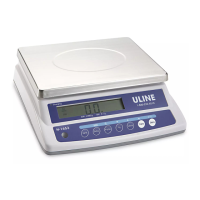
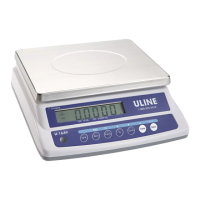
EASY-COUNT SCALES
1-800-295-5510
uline.com
π
H-1649, H-1650, H-1651
H-1653, H-1654
GENERAL INFORMATION
AVOID PLACING THE SCALE IN LOCATIONS
THAT MAY HURT ACCURACY:
• Temperature extremes – Do not place in direct
sunlight or near air heat/cooling vents.
• Mounting surface must be firm and level – Do
not place on uneven or wobbly surfaces or near
vibrating machinery.
• Unstable power sources – Keep away from big
electricity-using machines, like welding equipment
or large motors.
• Keep scale dry – Do not place in high humidity,
damp or wet locations.
• Keep away from air movers, like fans or open doors
and windows.
• Keep scale clean and dry.
• Do not stack items on the scale when not in use.
CAUTION! Scale is not waterproof. Avoid
direct contact with water, high humidity and
condensation. Do not spray or immerse scale
in water. Data may become unstable or scale
may malfunction. Turn power off and allow
scale to dry before reuse.
LCD DISPLAY
DISPLAY CHARACTERS
Low Battery
Stable
Percentage Weighing
Parts Counting
Check Weighing Weighing Unit
HI
OK
LO
0
1
2
3
4
5
6
7
8
9
A
B
C
D
E
F
G
H
I
J
K
L
M
N
O
P
Q
R
S
T
U
V
W
X
Y
Z
CHARACTER DISPLAY CHARACTER DISPLAY
Para Español, vea páginas 10-18.
Pour le français, consulter les pages 19-27.
∏
1-800-295-5510



 To Next Page
 General