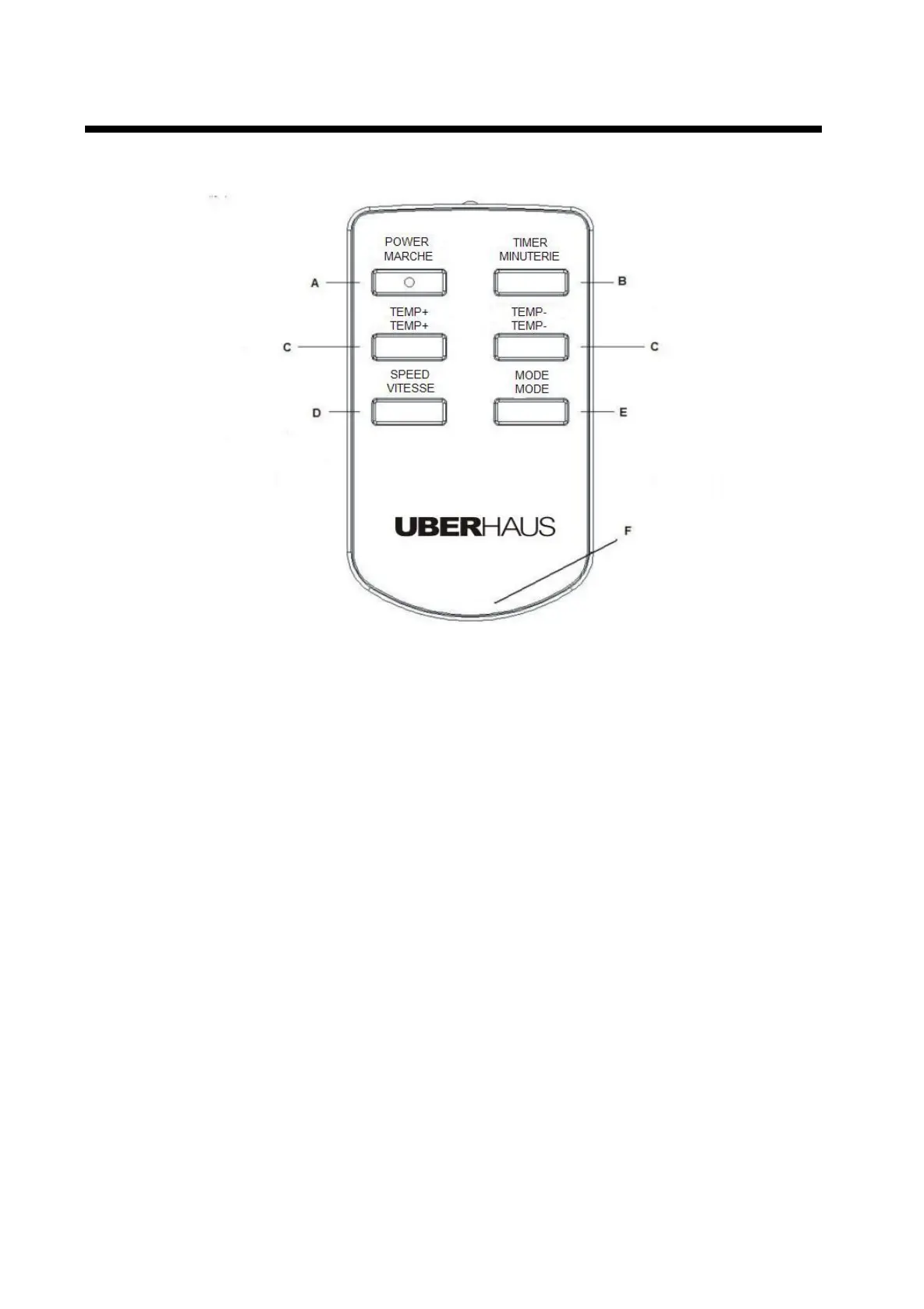
Remote Controller Illustration
Fig.4
Control button operation:
A) POWER button: By pressing this button, you can turn the machine on or off.
B) TIMER button: This button is used to set the timer for automatic on/off.
C) TEMPERATURE buttons: You can use these buttons to set the desired temperature. The
buttons are also used for setting the on-timer and off-timer.
D) FAN SPEED button: Press this button to select high or low speed of air delivery.
E) MODE button: Press this button to select cooling/ heating/ fan or dehumidifying mode.
F) Battery compartment. Open to insert or change battery (CR2025,3V).



 To Next Page