CLOCK
E
ON
OFF
FAN SPEED
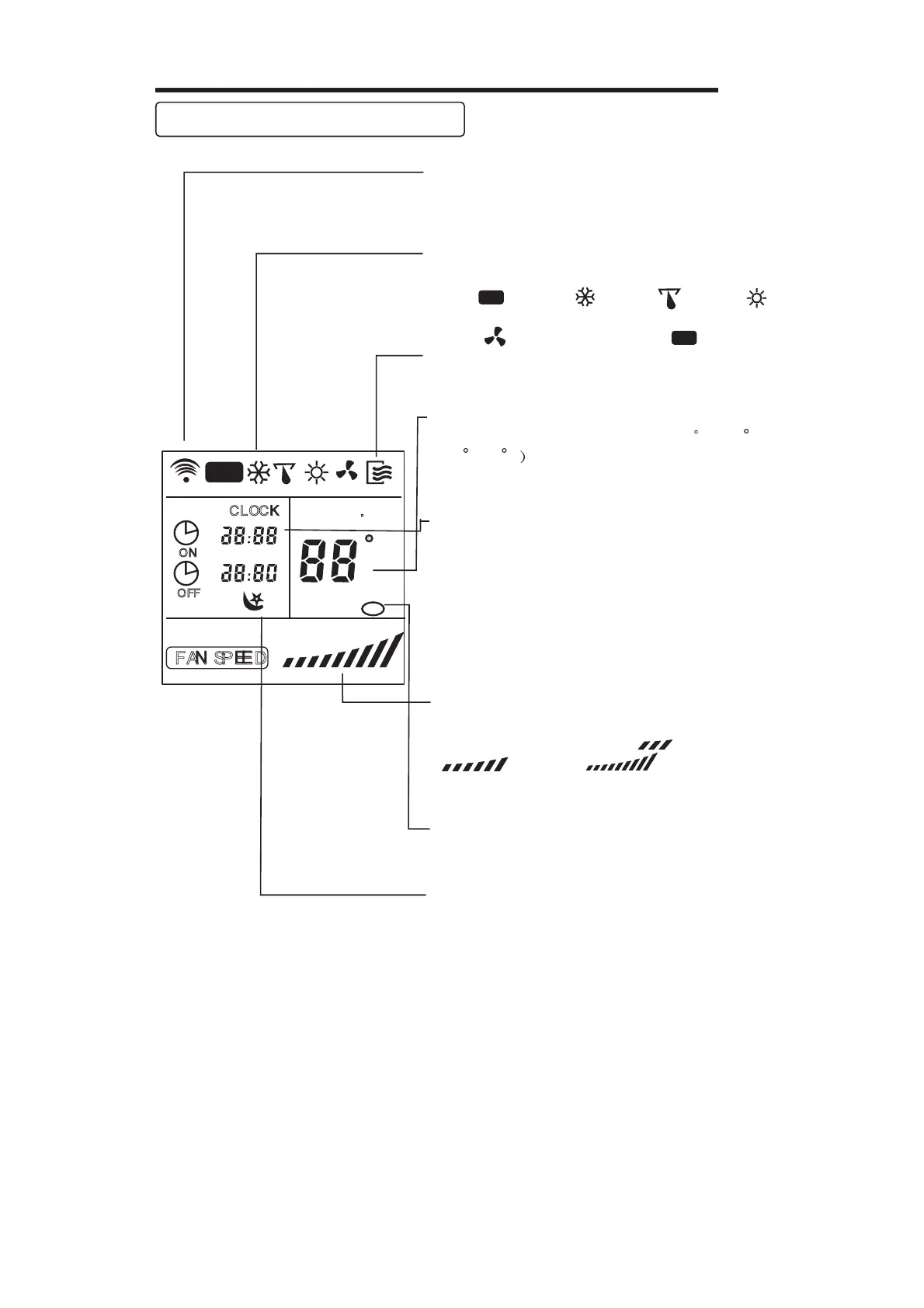
Indicators on remote controller
Tra nsm ission I ndic at or
Te m p. display
Tim e displa y
Fan spee d display
Sle ep Displa y
Mode displa y
ON /OFF display
This transmission indicator lights when
remote controller transmits signals to the
indoor unit.
Displays the current operation mode. Including
AUTO( ), COOL( ), DRY( ), HEAT( )
(Not applicable to cooling only models), FAN
ONLY ( ) and back to AUTO( ).
Displays the temperature setting (17 C / 62 F
to 30 C/86 F when you set the operating
mode to FAN ONLY, no temperature setting is
displayed.
Displayed by pressing the ON/OFF button.
Press the ON/OFF button again to remove.
The clock time is indicated only when no
AUTO-ON/OFF timer is set. When AUTO-
TIMER feature is operating, it displays the
AUTO-ON/OFF time. To check the current
time, press the CLOCK bu
tton, and the time
will display.
Indicate Timer on/off time(0 24 hours)
or clock time.
Displays the selected fan speed, AUTO
and three fan speed levels " " (LOW)
" " (MED) " " (HIGH)
can be indicated. Displays AUTO when the
operating mode is either AUTO or DRY.
Displayed by pressing the SLEEP button.
Press the SLEEP button again to remove.
Note:
All displays on
the remote controller are
shown for illustration purposes only.
AUTO
F
AUTO
AUTO
Lock Display
Displayed by pressing the LOCK button.
Press the LOCK button again to remove.
~
19
SET TEMP.



 To Next Page