2. Once the set hour has come to an end, the unit will turn off automatically.
3. By pressing the "POWER" key before the time has been reached, the set time will be
cancelled and the unit will turn off.
8.
SLEEP
CONTROL
FUNCTION
1. Sleep comfort mode under cooling setting - the temperature will be increased by 1ºC after 1
hour. Subsequently, the temperature will be increased by 2ºC after 2 hours. It will maintain this
setting without further changes.
2. Under dehumidification mode, no sleep mode can be chosen.
3. Low fan speed setting is default under sleep comfort mode, but can be adjusted
4. Sleep comfort mode under heating setting, the temperature will be decreased by 1ºC after
1 hour. Subsequently, the temperature will be decreased by 2ºC after 2 hours. It will
maintain this setting without further changes.
9.
ALARM
When the water tank is full,"E4" will be displayed on the display panel. To resume operation,
please remove the rubber cap of the drain hose to drain out the water. After finishing
draining the water out, please restart the unit and then the unit can operate normally.
REMOTE
CONTROL
FUNCTIONS
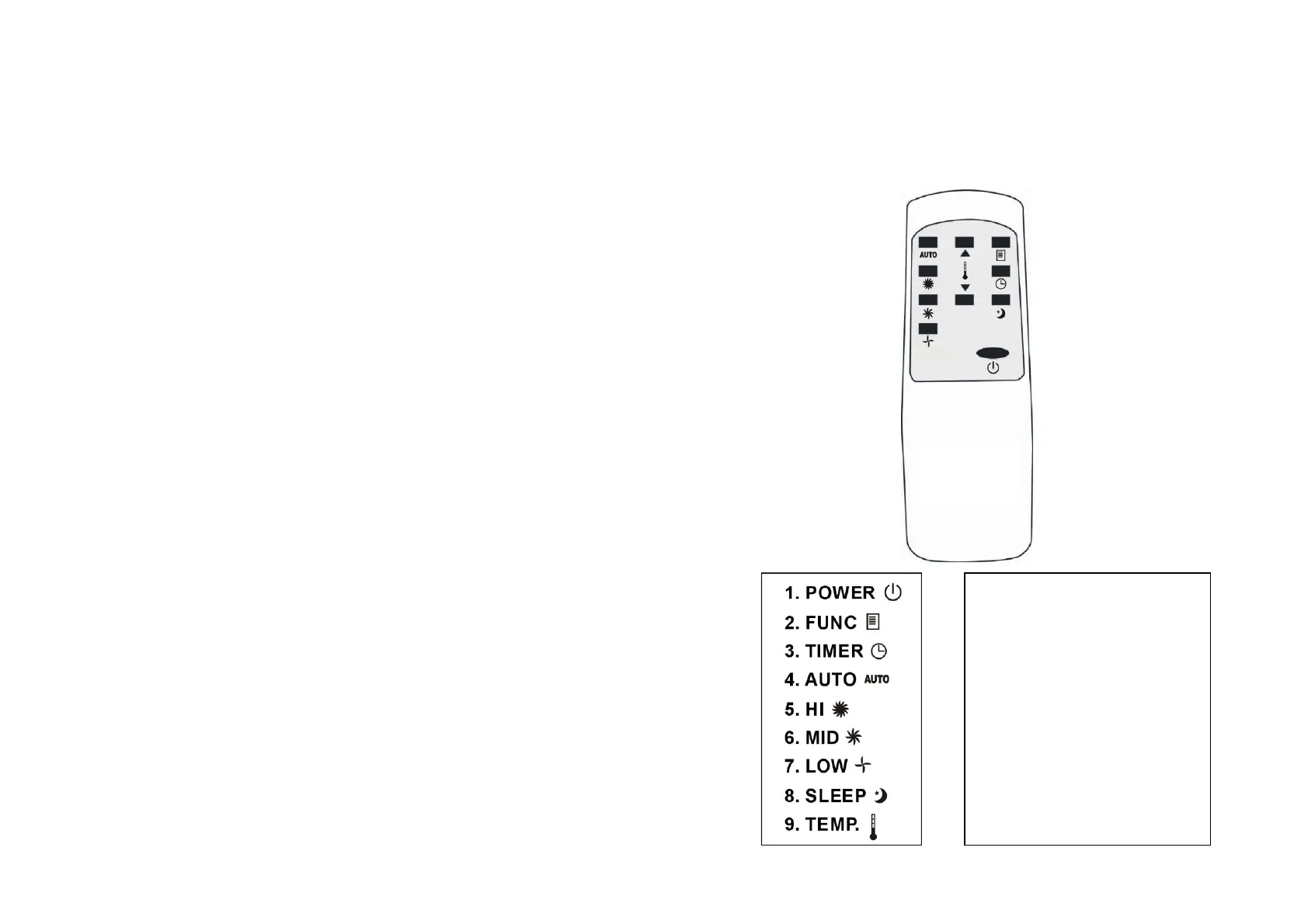
The remote control uses two 1.5 VOLTS UM4 AAA CR03 type batteries
- Do not mix old and new batteries
- Do not mix alkaline, standard (carbon-zinc), or rechargeable (ni-cad, ni-mh,
etc) batteries
Stop/Start
switch
MODE
selector
Hourly
programming
Automatic
fan
speed
High
fan
speed
Medium
fan
speed
Low
fan
speed
Sleep
comfort
mode
selector
Temperature
selector
7 8



 To Next Page