NOTICE
This unit allows the condensation to evaporate and flow out through the exhaust hose
automatically.
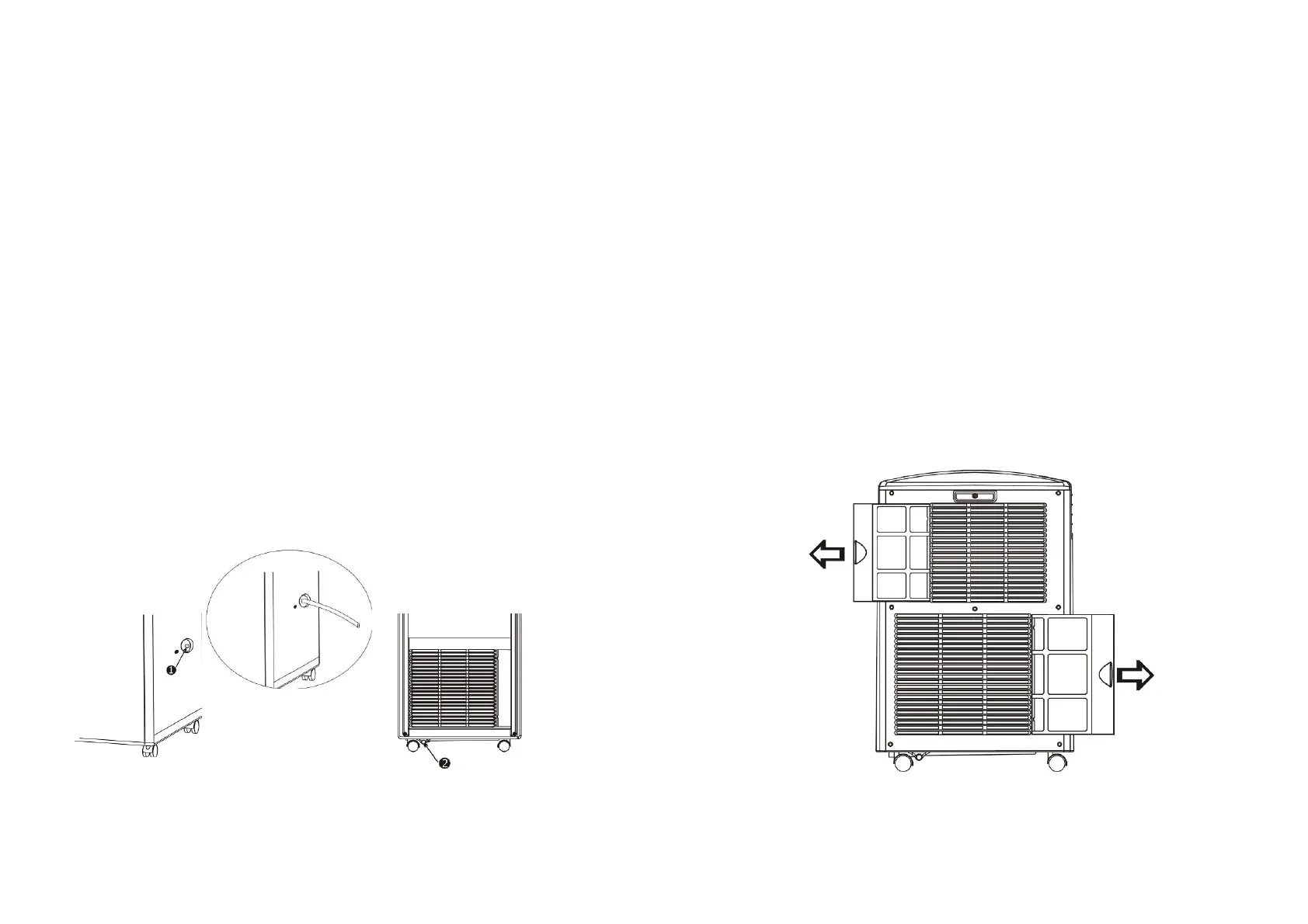
1. When the unit is in cooling mode, it does not need the draining hose installed.
Please make sure that the rubber cap is locked on drain hose when the unit is
running.
2.When the unit is in heating mode, please remove the rubber cap on the draining hole(1)
and attach a 17mm inner-diameter draining hose(included) to maximize the
heating performance.
3. When the unit is in dehumidifying mode, please remove the rubber cap on the
draining hole(1) and attach a 17mm inner-diameter draining hose(included) to
maximize
the dehumidifying performance.
• Please remove the air exhaust hose, connect the drain hose to the drain hole and
let the water drain into a container or outside.
※
When the water tank is full,"E4" will be displayed on the display panel. To resume
operation, please remove the rubber cap (
②
) of the drain hose to drain out the
water first. After drainage is complete, please restart the unit. Then, the unit can
operate normally.
MAINTENANCE
PLEASE DISCONNECT THE POWER CORD BEFORE CARRYING OUT
ANY MAINTENANCE TASKS.
AIR FILTER
The
air
filter
located
on
one
side
of
the
unit
can
be
removed,
simply
by
pulling
the
frame
in
an
upward
motion.
CONDENSER/EVAPORATOR
To clean, use a vacuum cleaner with a brush attachment.
CABINET
Wipe with a damp cloth and dry with a soft cloth.
To
remove
the
air
filter,
please
follow
the
arrow
direction
and
push
the
filter
lightly.
Then
take
filter
out
for
cleaning.
9 10



 To Next Page