Ethernet
Wireless Adoption Requirements
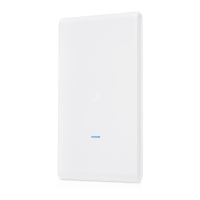
The UAP-AC-M supports wireless adoption into your UniFi Wi-Fi network. This
feature requires a currently managed UniFi AP operating with the following
configuration:
The UniFi AP must be running firmware v3.7.7 or newer
At least one SSID enabled and operating on 5 GHz band
The UAP-AC-M must be within wireless range of the UniFi AP
Hardware Overview
LED
Ports
The Ethernet port is a Gigabit PoE port used to connect the power and should be
connected to the LAN and DHCP server. Power can be provided by one of the
following:
Gigabit PoE adapter (included)
Ubiquiti UniFi Switch with PoE
802.3af PoE compliant switch
Note: The UAP-AC-M supports 802.3af/A PoE and 24V Passive PoE. It
does NOT support 802.3af/B PoE and therefore does not work with
802.3af/B switches.
UAP-AC-M Quick Start Guide



 To Next Page
 Loading...