Reset
The 1 GbE port is a 10/100/1000 Ethernet port used for bridging. It can also be used
to connect the power.
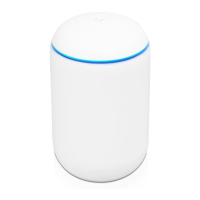
The Reset button serves two functions for the UWB-XG:
Restart
Press and release the Reset button quickly.
Restore to Factory Default Settings
Press and hold the Reset button for more
than ve seconds.
VESA Mounting
If you choose to use your own mount, remove the four M4 x 10 screws from the back of
the UWB-XG and detach the pre-installed mount.
Hardware Installation
Pole Mount


 To Next Page
 Loading...