RJ45Speed/Link/ActLED(Ports18)
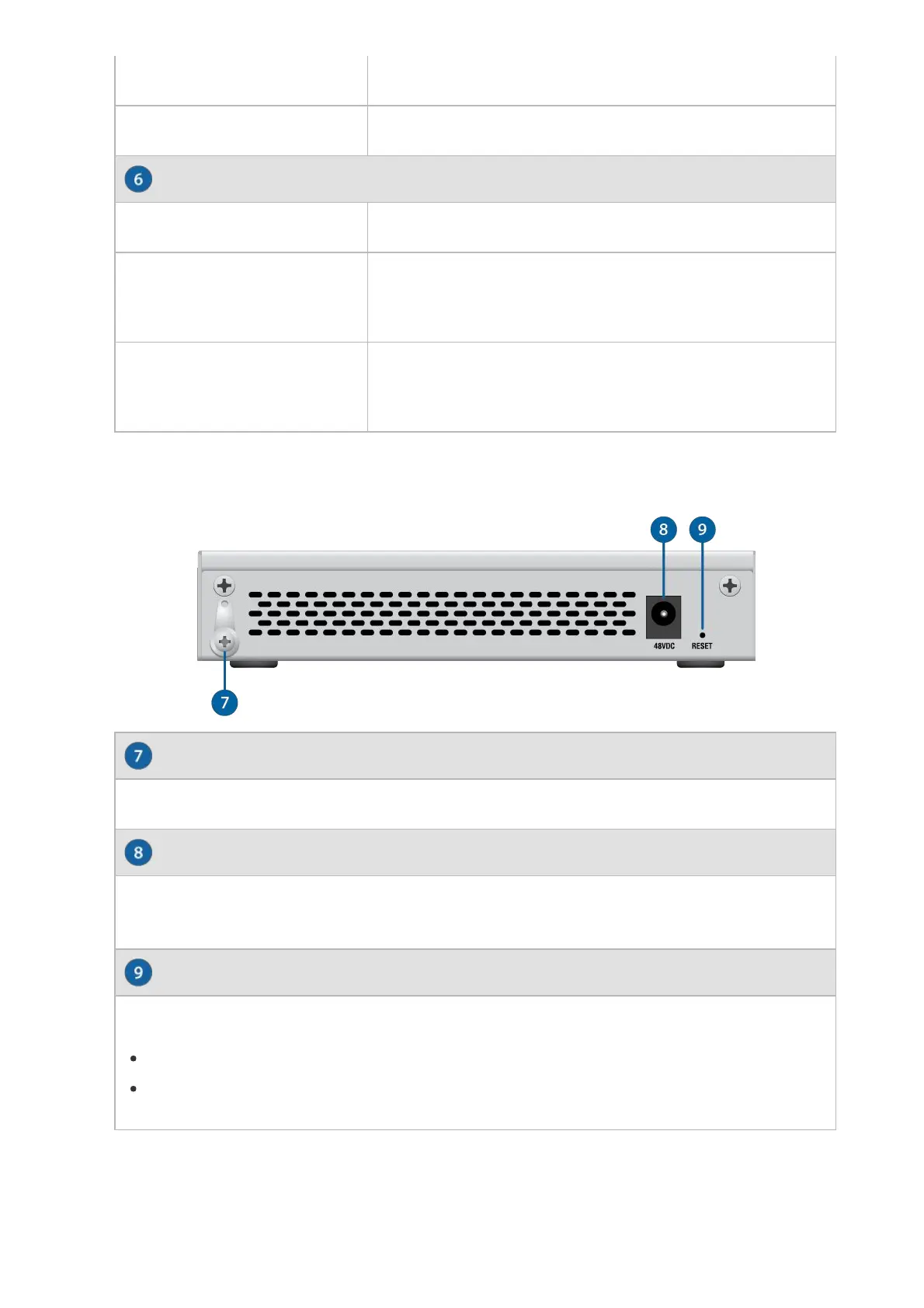
Ground
DCIn
ResetButton
Off PoEDisabled
Amber 48VPassivePoE
Off NoLink
Amber
LinkEstablishedat10/100Mbps
FlashingIndicatesActivity
Green
LinkEstablishedat1Gbps
FlashingIndicatesActivity
BackPanel
AncillarygroundingpointforenhancedESDprotection.
TopowertheswitchbyDCinput,connecta48Vpoweradaptertothe48VDC
port.
ThisbuttonservestwofunctionsfortheUniFiSwitch:
RestartPressandreleasetheResetbuttonquickly.
RestoretoFactoryDefaultSettingsPressandholdtheResetbuttonfor
morethanfiveseconds.
HardwareInstallation
WallMounting(Optional)








 To Next Page