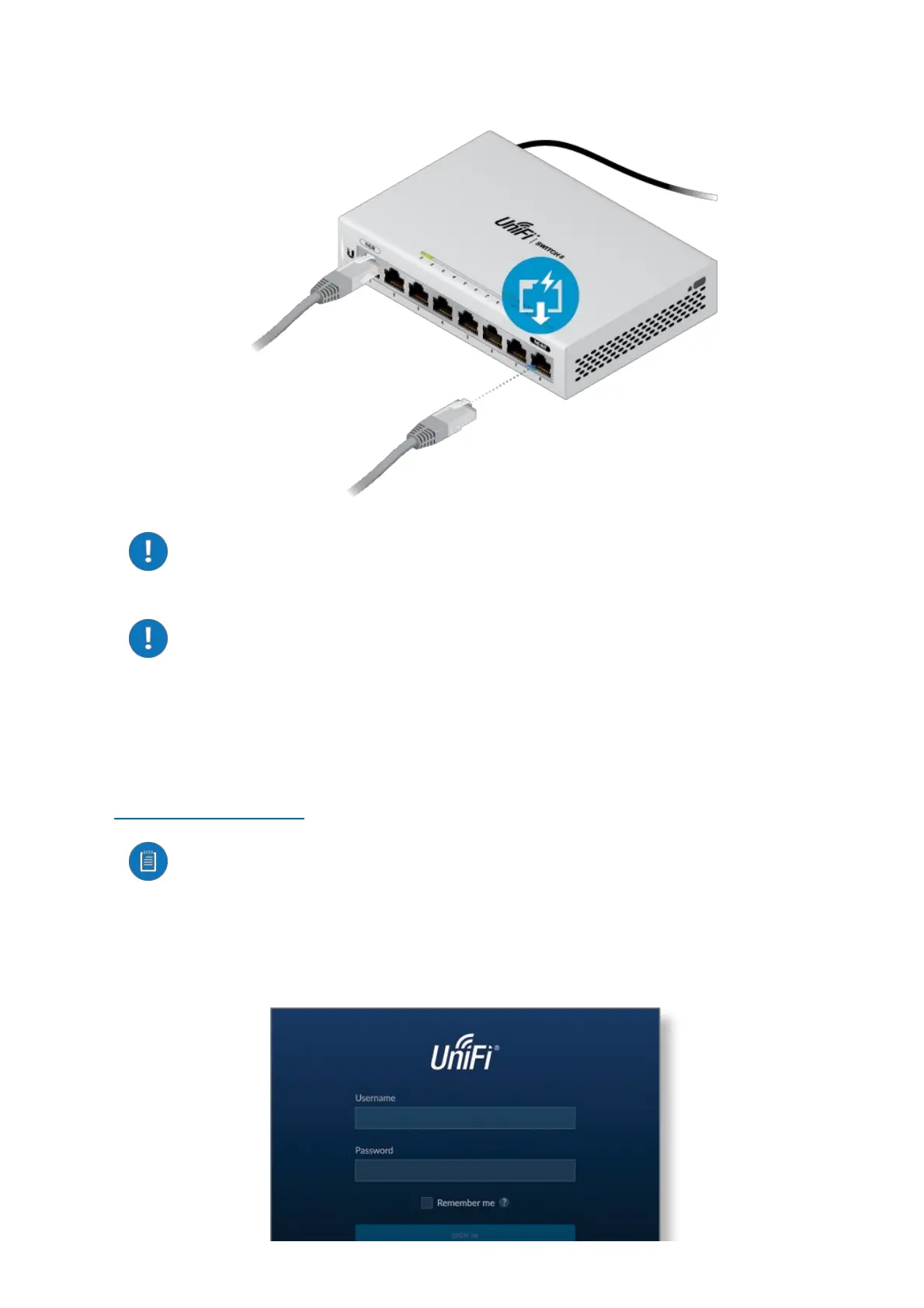
2.
WARNING:BeforeenablingPoEpassthroughintheUniFiController,
ensurethattheconnectedPoEdevicesupportsthePoEpower(48V).
WARNING:WhenbothPoEInandDCInputareconnected,thehighest
voltagepowerofthetwowillimmediatelypassthroughtoPoEOut(if
enabled).
SoftwareInstallation
DownloadandinstallthelatestversionoftheUniFiControllersoftwareat
ui.com/download/unifiandfollowtheonscreeninstructions.
Note:IfyoualreadyhaveUniFiControllerv5.3.xorhigherinstalled,goto
thesection,AdoptingtheUniFiSwitch.
AfteryouhaveinstalledthesoftwareandruntheUniFiInstallationWizard,alogin
screenwillappearfortheUniFiControllermanagementinterface.Enterthe
usernameandpasswordthatyoucreatedandclickSignIn.








 To Next Page