
 Need help?
Do you have a question about the Ubiquiti USW-16-POE and is the answer not in the manual?
Describes the status indicators and meanings of the touchscreen display.
Explains the PoE status indications for RJ45 ports 1 through 8.
Details the LED indicators for speed, link, and activity on RJ45 ports 1-16.
Describes the LED indicators for speed, link, and activity on SFP ports 17-18.
Details the capabilities and specifications of RJ45 ports 1 through 8.
Details the capabilities and specifications of RJ45 ports 9 through 16.
Describes the functionality and specifications of SFP ports 17 and 18.
Explains the functions of the reset button for restarting and factory resetting.
Details the connection procedure for the device's power port.
Guides on how to adopt the UniFi Switch using the controller interface.
Details FCC compliance rules and conditions for the device.
Mentions ISED Canada compliance statement for the device.
Provides the WEEE compliance statement for the product.
Refers to the declaration of conformity for the product.
Lists available online resources for further information.
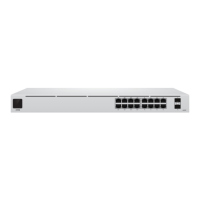
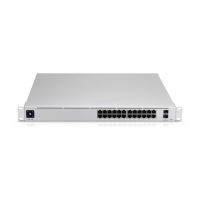
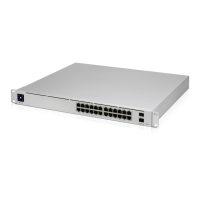
The UniFi Switch USW-16-POE is a versatile and robust network switch designed for a wide range of applications, from small businesses to larger enterprise environments. Its primary function is to provide high-speed Ethernet connectivity with Power over Ethernet (PoE) capabilities, allowing for both data and power transmission over a single cable to compatible devices. This simplifies network infrastructure by reducing the need for separate power outlets for PoE-enabled devices such as IP cameras, wireless access points, and VoIP phones.
The switch features a comprehensive set of RJ45 Ethernet ports, supporting 10/100/1000 Mbps connections, with a subset of these ports offering 802.3af/at PoE output. This allows for flexible deployment of various network devices, ensuring compatibility with both older and newer standards. In addition to the RJ45 ports, the USW-16-POE is equipped with SFP (Small Form-Factor Pluggable) ports, which support 1 Gbps fiber optic connections. These SFP ports are hot-swappable, providing an easy way to extend network reach over longer distances or connect to other fiber-enabled network segments, offering enhanced flexibility and scalability for your network architecture.
A key feature of the UniFi Switch is its integrated touchscreen display. This display provides real-time operational feedback, making it easy to monitor the device's status at a glance. During bootup, it shows an "Initializing" animation. Once the device is powered on, the display indicates its current state: "Steady White" signifies that the switch is at factory defaults and awaiting adoption into a UniFi network, while "Steady Blue" indicates that it has been successfully adopted and is operating correctly within a managed network. This visual feedback simplifies initial setup and ongoing monitoring, providing immediate insight into the device's health and connectivity.
The RJ45 ports on the switch are equipped with LEDs that provide crucial information about their status. The PoE LEDs, specifically for ports 1-8, indicate the presence and type of PoE. If an LED is off, it means no PoE is being supplied. An amber LED signifies that 802.3af/at PoE is active on that port. Separate Speed/Link/Activity LEDs for all RJ45 ports (1-16) offer further insights: an off LED means no link is established, an amber LED indicates a 10/100 Mbps link with flashing to show activity, and a green LED denotes a 1000 Mbps link, also flashing to show activity. Similarly, the SFP ports (17-18) have their own Speed/Link/Activity LEDs, with green indicating a 1 Gbps link and flashing for activity, and off for no link. These detailed LED indicators are invaluable for quick troubleshooting and verifying network connections without needing to access the management interface.
For management and configuration, the UniFi Switch is designed to be integrated into the UniFi Controller software. This powerful software platform allows for centralized management of all UniFi devices, providing a unified interface for network configuration, monitoring, and maintenance. The controller software can be installed on various operating systems, including Linux, Mac OS X, and Microsoft Windows 7/8/10, and requires Java Runtime Environment 1.6 (1.8 or newer recommended). Google Chrome is the recommended web browser for accessing the UniFi Controller, though other browsers may have limited functionality. The adoption process for the UniFi Switch is straightforward: once the controller is running, the switch appears in the "Devices" screen, where it can be adopted with a simple click. After adoption, the System LED on the switch turns blue, confirming its successful integration into the UniFi network.
The physical installation of the USW-16-POE is designed for flexibility. It can be mounted in a standard 19-inch wide rack, requiring a minimum of 1U height. The package includes rack-mount brackets, bracket screws, mounting screws, and cage nuts, providing all necessary hardware for rack installation. Alternatively, the switch can be placed on a desktop or shelf, offering versatility for different deployment scenarios. Connecting power is as simple as plugging the included power cord into the power port on the device and then into an AC outlet. For Ethernet connections, standard Category 5 (or above) UTP cabling is recommended for indoor use. For outdoor applications, shielded Category 5 (or above) cabling is strongly advised, and it should be grounded through the AC ground of the power supply to protect against harmful outdoor environments and destructive ESD events. Ubiquiti's industrial-grade, shielded Ethernet cable is recommended for enhanced protection.
Maintenance features include a Reset Button, which serves two functions. A quick press and release will restart the UniFi Switch, which can be useful for minor troubleshooting. Pressing and holding the Reset button for more than five seconds will restore the device to its factory default settings, allowing for a complete reset if needed. This is particularly useful for reconfiguring the device or preparing it for a new deployment. The UniFi Controller software also provides extensive tools for ongoing maintenance, including firmware updates, configuration backups, and detailed network statistics, ensuring the network remains optimized and secure.
The device is built with robust safety features and compliance. It is important to ensure proper ventilation, maintaining at least 20 mm of clearance around ventilation holes to prevent fire hazards. The product should not be exposed to rain or moisture, nor should it be submerged in water, to reduce the risk of fire or electric shock. Additionally, it is advised to avoid using the product during electrical storms due to the remote risk of electric shock from lightning. The equipment is provided with a detachable power cord with an integral safety ground wire, and it is crucial not to substitute this cord with an unapproved type or use adapter plugs that defeat the grounding continuity. These precautions ensure safe and reliable operation of the UniFi Switch.
 General
| PoE Ports | 16 |
|---|---|
| Switching Capacity | 36 Gbps |
| Forwarding Rate | 26.78 Mpps |
| Rackmountable | Yes |
| Enclosure Characteristics | Metal |
| Total Non-Blocking Throughput | 18 Gbps |
| Power Supply | Internal |
| PoE+ IEEE 802.3at | Yes |
| SFP Ports | 2 |
| Certifications | CE, FCC, IC |
| Management | UniFi Controller |
| Power Method | AC |
| Supported Voltage Range | 100 to 240VAC |
| Interfaces | 16 x 10/100/1000 Mbps RJ45 Ethernet Ports, 2 x 1 Gbps SFP Ports |
| Operating Temperature | -5 to 45° C |
| Operating Humidity | 10 to 90% Noncondensing |
| Layer | 2 |




 To Next Page