19
To program the FPGA, connect the retractable USB cable (USB-mini) from your computer to the
CC1 (this USB cable will provide all necessary power to the CC1 during programming). Select
the “Tools -> Programmer” menu option in Quartus II to open the Altera Programmer window.
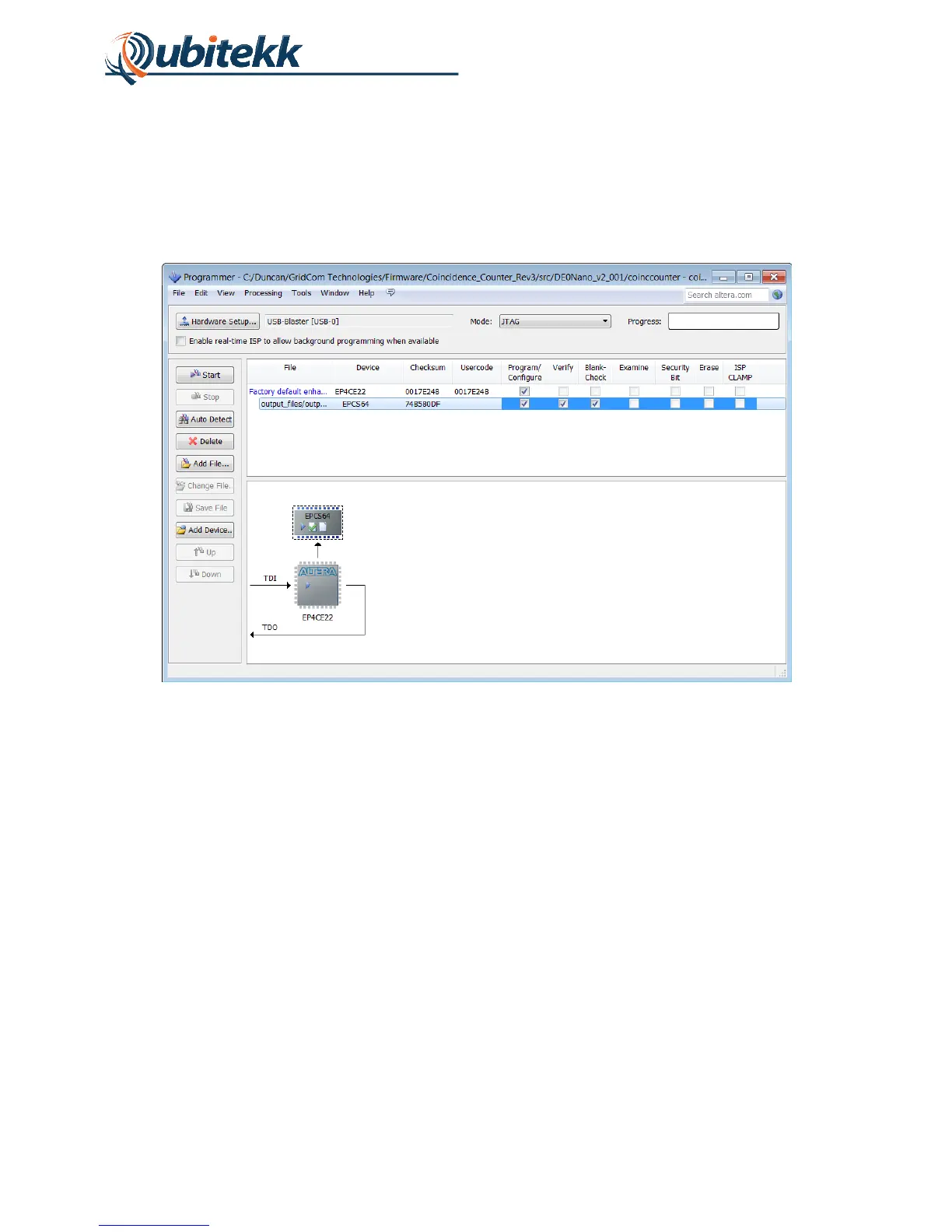
Click the “Add File” button to add the *.jic file that was just created and select the USB-Blaster
by clicking the “Hardware Setup” button. The Programmer setup window should look as shown
in Figure 18.
Figure 18. Programmer settings.
Click “Start” to program the FPGA.



 To Next Page