

EasyManua.ls Logo

UCam247 NV808 - User Manual

UCam247 NV808
7 pages
Print Icon
To Next Page IconTo Next Page
Loading...
How to Setup, Use and Troubleshoot the UCam247 WiFi Cloud NVR
Note: This is a general guide for initial setup and use.
For detailed help please refer to the resource links below.
BEFORE YOU READ THE TEXT GUIDE BELOW WE RECOMMEND VIEWING
THE STEP-BY-STEP VIDEO GUIDE ON HOW TO SETUP THE NVR:
https://vimeo.com/181500495
Step-By-Step Guides & Knowledge base
www.ucam247.com/technical-help-and-support
Tailored Help & Advice
support@ucam247.com
Question and Answer IconNeed help?

Do you have a question about the UCam247 NV808 and is the answer not in the manual?

Overview

The UCam247 device is a Plug & View WiFi NVR (Network Video Recorder) designed for use with UCam247 WiFi cameras, enabling recording and playback of video footage. It functions as a central hub for storing video clips from connected cameras, offering both local storage via a micro SD card and remote access capabilities.

Function Description:

The primary function of the UCam247 NVR is to record and store video footage from compatible UCam247 WiFi cameras. It allows users to manage recordings, view live feeds, and play back stored clips through various interfaces, including a web browser on a computer (Windows, Mac) and a dedicated mobile/tablet app (UCam247Live). The NVR supports both wired (Ethernet) and wireless (WiFi) network connections, providing flexibility in deployment. It integrates with cameras to record based on alarms, such as motion detection, and can also be configured for continuous recording.

Important Technical Specifications (Derived from the manual):

  • Storage: Supports micro SD cards for local storage. The manual emphasizes the importance of using a fast micro SD card for optimal performance.
  • Network Connectivity:
    • Wired: Ethernet port for connection to a broadband router.
    • Wireless: WiFi connectivity, supporting WPS (Wi-Fi Protected Setup) for easy pairing with a router, and manual configuration of WiFi network (SSID, WEP/WPA key/password).
  • User Interface:
    • Web-based Admin Interface: Accessible via a web browser (Firefox, Chrome, Edge) using the NVR's hostname (//NV808/) or its IP address (e.g., http://192.168.0.44). This interface is used for initial setup, network configuration, storage management, and viewing/downloading recorded clips.
    • Mobile/Tablet App: UCam247Live app for viewing live feeds and playing back recordings on mobile devices.
  • Default Credentials: Username: admin, Password: admin (both lowercase) for the NVR's admin interface.
  • Recording Format: Video files are saved in .mov format.
  • Compatibility: Designed to work with UCam247 WiFi cameras.

Usage Features:

  • Easy Setup: The NVR setup process is designed to be straightforward. It involves inserting a micro SD card, connecting an Ethernet cable, powering on, and then configuring network settings.
  • Flexible Network Connection: Users can choose between a wired Ethernet connection for initial setup and a wireless WiFi connection for ongoing operation, allowing for greater placement flexibility. WPS functionality simplifies WiFi setup.
  • Remote Access: The NVR can be accessed remotely via its web interface or the UCam247Live app, enabling users to monitor their cameras and review recordings from anywhere with an internet connection.
  • Camera Integration: Cameras are configured to record to the NVR by specifying the NVR's remote path (e.g., //IP_ADDRESS/nvr) and a unique "Store directory" name for each camera. This allows for organized storage of footage from multiple cameras.
  • Alarm-Based Recording: The NVR supports recording based on alarms triggered by connected cameras, such as motion detection. Users can enable "Record to storage on Alarm" in the camera's Task Management settings.
  • Continuous Recording: The NVR can also be configured for continuous recording, if desired.
  • Video Playback Options:
    • Mobile/Tablet: Playback through the UCam247Live app, allowing users to browse and play video clips directly on their mobile devices.
    • PC/Mac: Playback through the NVR's web admin interface, where users can browse camera folders, list recorded clips, and either play them directly in the browser (requires Adobe Flash plugin) or download them to their computer for local viewing.
  • Storage Management: The NVR's admin interface provides options for formatting the micro SD card and managing storage settings, such as maximum space and number of files.
  • Motion Sensitivity Adjustment: Users can fine-tune motion detection sensitivity for their cameras via the camera's Task > Motion Detection settings, influencing when recordings are triggered.

Maintenance Features:

  • Troubleshooting Guide: The manual includes a comprehensive troubleshooting section to address common issues such as the NVR not recording, recordings stopping, or playback being slow/not smooth.
  • SD Card Formatting: The NVR's admin interface allows users to format the micro SD card, which is crucial for ensuring proper recording functionality.
  • IP Address Management: The guide advises users to re-check and update the NVR's IP address in camera settings if recordings stop, as the IP address may change due to router reboots or power cuts.
  • Performance Optimization:
    • Fast SD Card: Recommends using the fastest possible micro SD card to improve recording and playback performance.
    • Network Connection: Emphasizes the impact of broadband upload/download speeds on playback quality, suggesting viewing over WiFi for better performance than 3G/4G, and using PC/Mac for smoother playback compared to mobile devices.
    • Task Management: Advises against enabling too many tasks on cameras to prevent slowing down or stopping recordings.
    • Router Reboot: Suggests rebooting the broadband router as a troubleshooting step for recording issues.
  • Support Resources: Provides links to a knowledge base (www.ucam247.com/technical-help-and-support) and an email address (support@ucam247.com) for tailored help and advice, encouraging users to include screenshots of relevant settings for effective support.
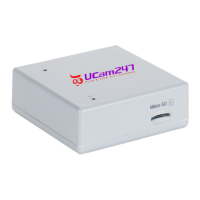
UCam247 NV808 Specifications

General IconGeneral
BrandUCam247
ModelNV808
CategoryDVR
LanguageEnglish