Video playback on a PC/Mac
Viewing clips on a Windows PC/Mac
1) Go to the NVR's admin interface in your web browser. Refer to steps (4) and
(5) of NVR Setup (first part of this manual) if you are unsure how to do this.
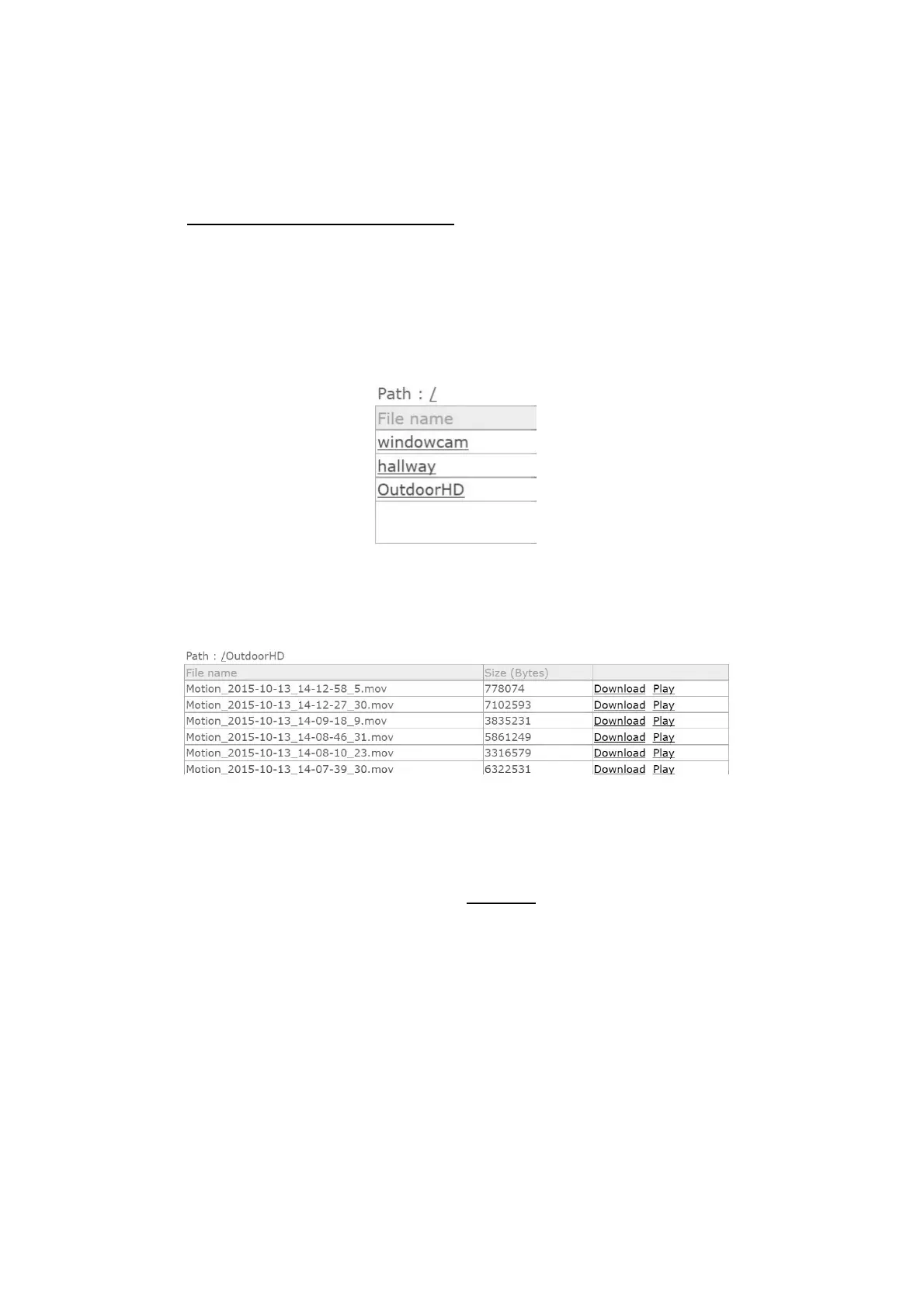
2) In the Setting area click the Browse tab to display the store directory for
your camera(s).
3) Click the desired folder to list the clips
4) You can now Download and view in your media player or click Play to play in
your browser (Adobe Flash plugin required).
If your PC does not download when your click the Download button, right click
your mouse or trackpad pointer over the Download link and select 'Save As...' to
save the file to your desktop.
Once saved to your PC you can play back the file in a media player on your PC.
The files are saved in .mov format, most players can play this back however if
your PC cannot I recommend you check out VLC player at
http://www.videolan.org/


 To Next Page