NB: The size of the video clip and the speed of the broadband connection on
the device you are viewing from will affect the quality and speed of playback.
For best results ensure you are on WiFi and use the PC/Mac method
(see next page) for smoother video playback.
Playback on Mobile/Tablet
Viewing recordings from a mobile/tablet
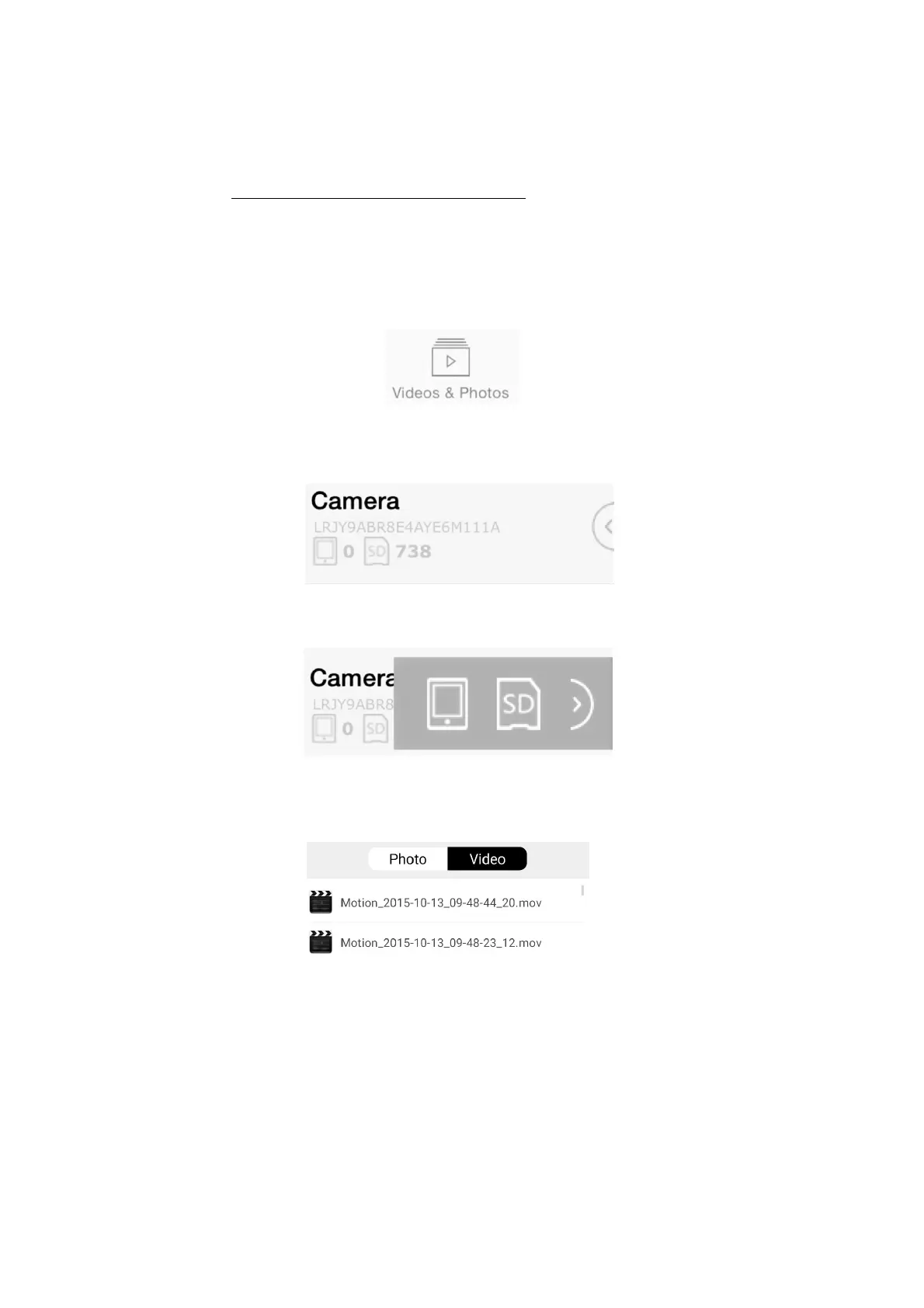
1) Open the UCam247Live app
2) Select Videos and Photos tab
3) Tap semi circle with left arrow
next to your camera
4) Tap SD icon
5) Wait for the video clips list to load
(Failed to load? Try again from step 4)
6) Tap a clip to play


 To Next Page