4. Each time you give a Voice Command, you must first
push either the VR or PHONE button, wait until after
the beep, then say your Voice Command.
5. You can interrupt the help message or system prompts
by pushing the VR or PHONE button and saying a Voice
Command from current category.
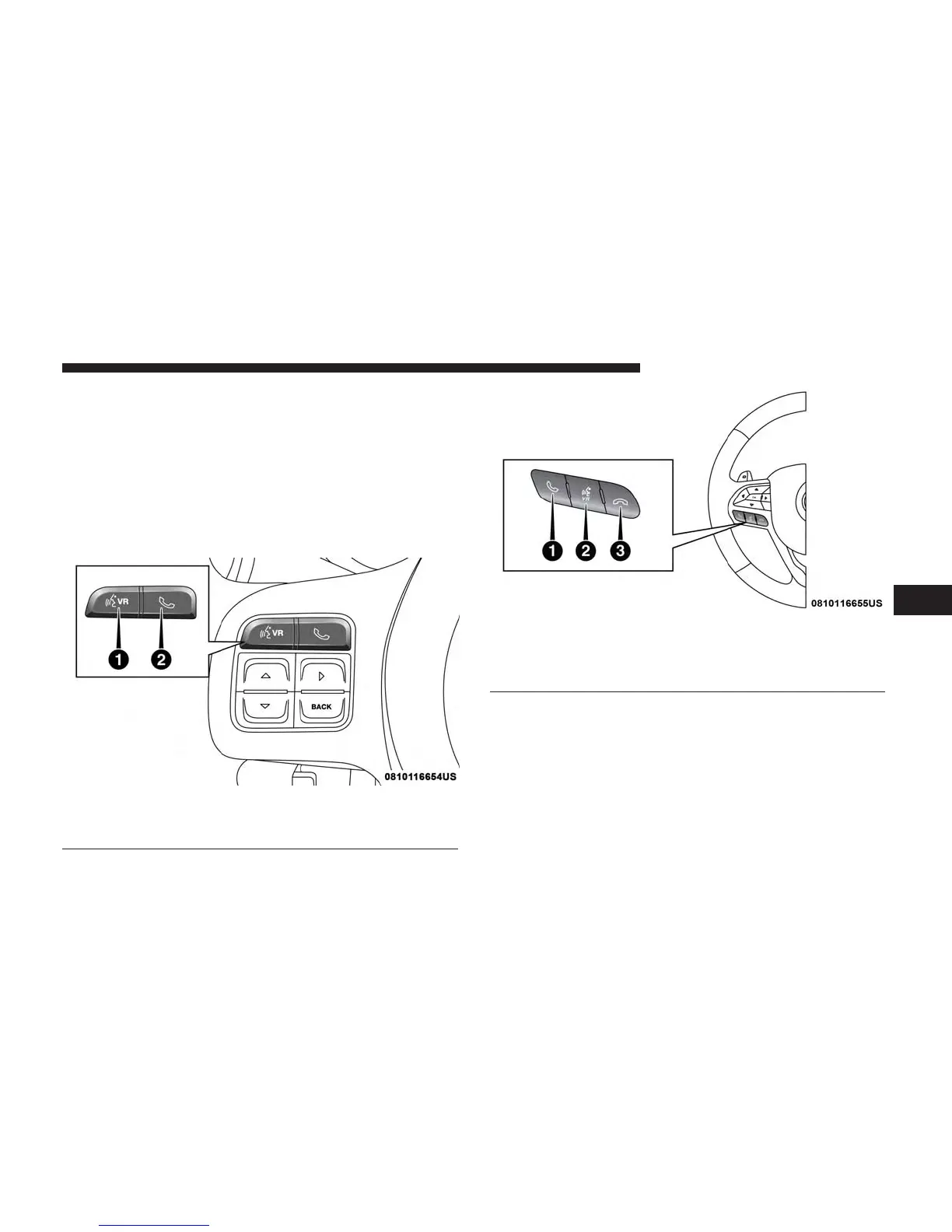
All you need to control your Uconnect system with your
voice are the buttons on your steering wheel.
1 — Push To Begin Radio Or Media Functions
2 — Push To Initiate, Answer/End A Phone Call, Send Or Receive
A Text
1 — Push To Initiate Or To Answer A Phone Call, Send Or Receive
A Text
2 — Push To Begin Radio Or Media Functions
3 — Push To End Call
6
VOICE RECOGNITION QUICK TIPS 35



 To Next Page