DSD 700 OPERATING INSTRUCTIONS 19
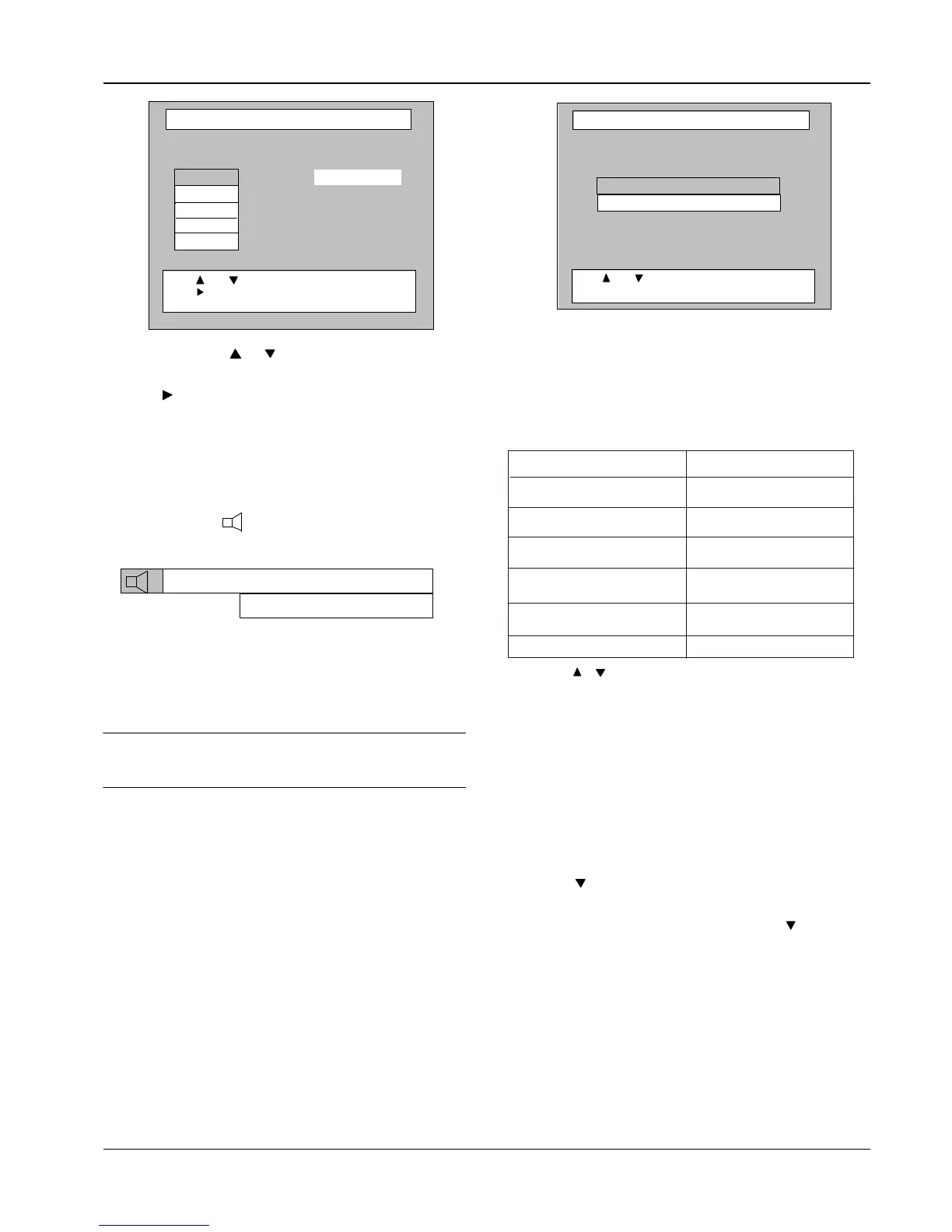
3 On the RCU, press or arrow to highlight the preferred
language that you wish to relocate from the list.
4 Press to move the highlighted language option into the
relocation window.
NOTE: Although several languages can be available,
only two can be relocated into positions 1 and
2.
5 Press OK to confirm your selection.
NOTE: Pressing ? on the RCU displays the
following window at the top of the TV screen:
Program Blocking Options
The decoder includes a parental guidance facility to control
viewing of age restricted programmes. Access to this facility is
controlled via the Parental PIN code.
TIP: The PIN is set at the factory to 1 2 3 4. If you intend to use
the parental guidance facility, please change the PIN as
soon as possible. Remember to keep a note of your new
PIN in a secure place.
Program blocking can only be applied to scrambled programmes.
NOTE: To use or change the Parental PIN code your
smart card must be in the decoder.
Blocking Options
1 Press MENU on the RCU.
From the Main Menu options list select Program Blocking
Options.
2 Press OK.
A screen is displayed with Blocking Options highlighted as
follows:
3 Press OK.
A Security Check screen is displayed, in which the PIN code
must be entered using the RCU.
4 On entering the correct PIN, a Parental Guidance submenu is
displayed, which is organised as follows:
NOTE: If the incorrect PIN is entered, the previous menu
(Security Check) is again displayed.
5 Press or to highlight the preferred control option.
6 Select your choice by pressing OK on the RCU.
7 Press EXIT to return to the Main Menu or MENU to return to the
service.
Changing the PIN Code for Blocking
To change your existing PIN to a new number, carry out the
following:
1 Press MENU on the RCU. The Main Menu options list is
displayed.
2 Press to select the Program Blocking Options, then press
OK.
3 On the Program Blocking Options menu, press to highlight
Change PIN Code for Blocking, then press OK. The Change
PIN screen is displayed.
4 Key in your old PIN code.
This automatically highlights the new PIN code to be entered.
5 Change the PIN to its new value. Instead of digits, crosses are
displayed for the PIN codes. When the new PIN code is
entered, a second box is highlighted requesting you to
re-enter the new code. This is a safeguard against an initial
incorrect entry.
6 The Program Blocking Options menu is displayed.
Soundtrack Options
English
Press
and
to select option
Current order:
Press OK to confirm or EXIT to cancel.
to relocate this language
2
1
Press
Language to relocate
Selected
English
Press OK to select
?
Program Blocking Options
Blocking Options
Press
and to select option
Press OK to confirm selection
Change PIN Code for Blocking


 To Next Page