Need help?
Do you have a question about the UeeVii CPE880 and is the answer not in the manual?
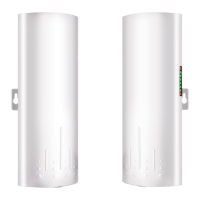
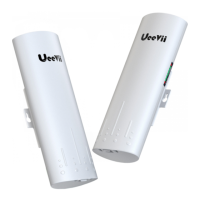
Describes the Ueevii CPE880 as a long-distance 5.8G wireless transmission device for PTP and PTMP connections.
Lists the main features including 5.8Ghz technology, Gigabit LAN, high gain antenna, and supported protocols.
Details the technical specifications like Brand, Model, CPU, DRAM, Interface, Data rate, Modulation, and Frequency Range.
Lists all the components provided with the Ueevii CPE880 Wireless Bridge, such as bridges, POE adapters, and cables.
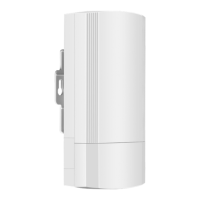
Details the physical ports and components on the CPE device, including brackets, LAN ports, and buttons.
Explains the functions of the Reset Button and the A-B Button for device control and pairing.
Describes the status indicated by various LED lights such as WLAN, LAN, and Power.
Instructions on how to connect the wireless bridge using the provided PoE power supply for easy installation.
Step-by-step guide to pair two CPE devices for a point-to-point wireless connection.
Step-by-step guide to pair one master CPE with multiple slave CPEs for a point-to-multipoint connection.
Illustrates and describes the process of mounting the CPE device onto a pole.
Illustrates and describes the process of mounting the CPE device onto a wall.
Shows the wiring diagram for connecting the CPE device with PoE adapter, computer, and router.
Details on the WiFi function, including default SSID, password, and how to access settings.
Example of extending WiFi range to other buildings like garages or shops using PTP.
Scenario illustrating PTP connection for surveillance cameras to a DVR.
Scenario demonstrating PTMP connection for multiple surveillance cameras to a DVR.
Another example of PTP connection for surveillance cameras to a DVR.
Guide on setting up computer IP, accessing the bridge's IP address, and logging in.
Chart mapping LED status, IP addresses, 5.8G ID, SSID, and passwords for different configurations.
Reasons and solutions for packet latency, including interference and signal strength.
Troubleshooting steps for incorrect passwords, cookies, and WEB access authentication.
Solutions for web login failures due to IP conflicts, cable issues, or browser cache.
Diagnosing and fixing problems where the system LED indicator is not illuminated.
Addressing slow data transfer speeds caused by latency, cable quality, or network congestion.
Troubleshooting steps for devices that frequently become unresponsive or shut down.
Contact information and advice for users requiring technical assistance or installation help.
 General
| Device Type | Wireless Router |
|---|---|
| Model | CPE880 |
| Manufacturer | UeeVii |
| LTE Download Speed | 150 Mbps |
| LTE Upload Speed | 50 Mbps |
| Wi-Fi | Yes |
| Wireless Standards | 802.11b/g/n |
| Wi-Fi Speed | 300 Mbps |
| Product Type | 4G LTE CPE |
| LTE Category | Cat4 |
| Frequency Band | LTE: B1/B3/B5/B7/B8/B20 |
| Antenna | 2 x External Antenna |
| SIM Card Slot | Standard SIM |
| Power Supply | 12V/1A |
| Storage Temperature | -20°C to +70°C |
| Humidity | 5% to 95% (non-condensing) |

 To Next Page