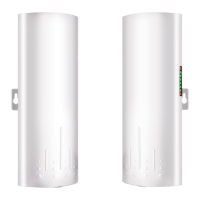
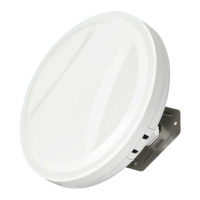
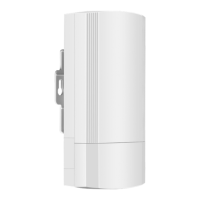
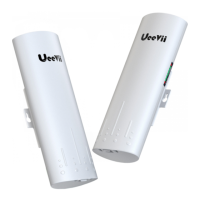
The UeeVii CPE452 is a long-distance 5.8G wireless transmission device designed for network data transmission over the air. It facilitates point-to-point or point-to-multipoint inter-connection, effectively extending local area networks over distances up to 3km. This device is particularly useful for scenarios requiring extended network coverage without the need for new modem installations or recurring monthly fees.
Function Description:
The CPE452 operates as a wireless bridge, transmitting network data wirelessly. In a typical setup, it consists of two devices: an AP (transmitting side) and a Client (receiving side). The Client-side CPE connects to an IP Camera, while the AP-side CPE connects to a video recorder. The AP can receive wireless data from multiple Clients, enabling centralized management of remote equipment. This makes it suitable for various applications such as monitoring highways, reservoirs, rivers, elevators, construction sites, port terminals, and marine aquaculture systems. It can also extend network WiFi range to other buildings like barns, garages, churches, or warehouses.
Usage Features:
- Long-distance 5.8G Wireless Transmission: The device supports wireless transmission over the 5.8G frequency band, allowing for extended range.
- Point-to-Point and Point-to-Multipoint Modes: It can be configured for both direct point-to-point connections and point-to-multipoint setups, where one master bridge communicates with multiple slave bridges.
- High-Gain Antenna with Automatic Power Adjustment: Equipped with a 14dBi high-gain antenna, the device automatically adjusts power for optimal performance.
- Extended Transmission Distance: Capable of transmitting data up to 3km in barrier-free environments.
- WDS Networking Mode: Supports Wireless Distribution System (WDS) for seamless integration into existing video networks.
- Dialing for Pairing: Features a simple dialing mechanism to pair transmitter and receiver units.
- PC Browser Access: Allows users to access and modify device settings through a PC browser.
- PoE Power Supply: Utilizes 24V Power over Ethernet (PoE) for efficient power delivery and simplified installation.
- Digital Tube Display: A digital tube displays the device's status, including "H" for manual configuration, "L" for settings, and flashing/solid lights to indicate pairing status.
- WLAN Signal LED: Provides visual feedback on signal strength with a 4-grid green display and a solid red light for successful pairing.
- LAN1/LAN2 Indicators: Solid lights indicate active LAN connections.
- PWR Indicator: A solid red LED indicates normal power operation.
- Point LED (A/B Status): Lights up to indicate B mode, no light for A mode, helping to identify master/slave roles.
- RST Button: A single click cycles through channels (0-F), and a long press (10s) initiates an auto-reset.
- A-B Button: Used to switch the bridge between master (A) and slave (B) roles.
- PoE Port: Provides 24V power supply and data transmission.
- LAN Port: A 100Mbps RJ45 port for data transfer.
- WiFi Functionality: The master bridge's WiFi function is enabled by default, with a predefined SSID (CPE5G-5GXXX) and password (zllinkcpe123456XXX), where XXX corresponds to the channel. Users can customize the SSID and password via advanced settings.
- Installation Flexibility: Can be mounted in selected positions, with recommended use of a UeeVii Universal Bracket. Requires Cat 5e or higher shielded network cable for optimal performance and grounding.
- Network Topology Support: Connects to cameras, PCs, routers, or switches based on the network topology, with PoE providing both power and data.
Maintenance Features:
- Troubleshooting Guide: The manual includes a comprehensive troubleshooting section to address common issues such as packet latency, wrong passwords, inability to access from a computer, system LED light off, low transmission rate, and device failure.
- Reset Functionality: The RST button allows for easy resetting of the device to default settings, useful for password recovery or resolving configuration issues.
- Channel Selection: Users can select the best channel to minimize wireless interference and improve signal quality.
- Angle Adjustment: Instructions are provided for adjusting the CPE's angle to optimize signal strength, especially in point-to-multipoint setups where slave bridges need to be within the master bridge's 60-degree signal range.
- Network Cable Recommendations: Emphasizes the use of Cat 5e or above shielded network cables to ensure stable data transmission and prevent issues.
- Grounding Connection: Recommends a ground connection for CPE or PoE adapter to prevent static electricity and protect against lightning strikes.
- Rebooting: Suggests rebooting the device if it has been running for an extended period (over 7 days) to maintain stability.
- Customer Service Support: Provides an email address (support@ueevii.com) for technical support and assistance with any problems encountered during use, including missing accessories, installation difficulties, damaged components, device failures, access issues, or slow speeds.



 To Next Page
 General