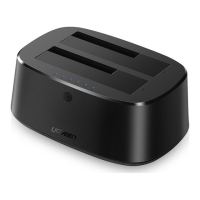
The UGREEN USB-C Multifunction Docking Station Pro (Model: CM555 | P/N: 90325) is a versatile docking solution designed to expand the connectivity of USB-C enabled laptops and devices. It offers a wide array of ports for various peripherals, display outputs, and charging capabilities, making it suitable for both Windows and macOS environments.
Function Description:
This docking station serves as a central hub for connecting multiple devices to a single USB-C port on a laptop. It provides video output for multiple monitors, high-speed data transfer through various USB ports, network connectivity, audio input/output, and memory card reading. It also supports power delivery to the host laptop and connected devices when an external power supply is used.
Important Technical Specifications:
- Input: 1 x USB-C
- Output: 2 x USB-C, 3 x USB-A, 1 x 3.5mm Audio, SD/TF Card Slot, 1 x DP, 2 x HDMI, 1 x RJ45
- USB Port Specifications:
- USB-A (10Gbps): USB 3.2 Gen 2, supports theoretical transfer rate up to 10Gbps.
- USB-A (5Gbps): USB 3.2 Gen 1, supports theoretical transfer rate up to 5Gbps.
- USB-C (10Gbps): USB 3.2 Gen 2, supports theoretical transfer rate up to 10Gbps.
- Audio: 3.5mm Audio, supports earphone & mic.
- Card Reading: SD/TF Card Slot, SD 3.0, supports theoretical transfer rate up to 104MB/s.
- Video Output:
- DP: Supports resolutions up to 4K@60Hz and backward compatibility.
- HDMI 1: Supports resolutions up to 4K@60Hz and backward compatibility.
- HDMI 2: Supports resolutions up to 8K@30Hz and backward compatibility.
- Simultaneous Display Support:
- Single display: HDMI 2 (8K@30Hz Max.), HDMI 1/DP (4K@60Hz Max.).
- Multiple displays (Same contents): 4K@60Hz Max.
- Multiple displays (Different contents): HDMI 2 (8K@30Hz Max.), HDMI 1/DP (4K@60Hz Max.).
- Single/Multiple displays: 4K@60Hz Max.
- Ethernet: RJ45, auto-negotiation of 10/100/1000Mbps.
- Power Supply: USB-C PD3.0, 20V/5A, backward compatibility.
- Power Output for USB (A+C) Total:
- With external PD power supply: 15W (supports 2 x 2.5-inch Hard Drives, 1 x Cellphone charging 5V/1.5A).
- Without external PD power supply: 10W (supports 1 x 2.5-inch Hard Drive, 1 x Cellphone charging 5V/1.5A).
- Compatible Systems: Windows/macOS.
Usage Features:
- Easy Setup: Requires DisplayLink driver installation before initial use. The driver can be downloaded from a provided Mediafire link or installed via a CD driver.
- Connectivity: Connects to the laptop via an included USB-C cable. For high-power devices, an external power supply should be connected to the PD port to ensure stable data transmission.
- Power Button & LED Indicator: Features a power button to turn off the dock (stopping other ports except PD) and an LED indicator for status.
- Display Modes:
- Windows 10: Supports "PC screen only," "Duplicate," "Extend," and "Second screen only" modes. Users can select display modes by pressing "Windows key + P." Not compatible with "ABBB" or "AAAA" display modes.
- macOS: Supports "Mirror Mode" (checking "Mirror Displays" in System Preferences > Displays) and "Extend Mode" (canceling "Mirror Displays").
- Audio Functionality: The 3.5mm audio port supports audio input/output, volume up/down, play/pause, and previous/next controls on Windows, but only audio input/output and volume up/down on macOS. The system automatically selects the audio output device, but users can manually adjust it in "Sound settings."
- Charging Capabilities: While USB-A ports are primarily for data transmission, the dock can charge devices. The total output power for USB (A+C) ports varies depending on whether an external PD power supply is connected, affecting the number of 2.5-inch hard drives and cellphones that can be charged simultaneously.
- Hot-Swapping: The monitor may display a black screen for about 10 seconds after plugging/unplugging the dock due to EDID reading, which is normal.
Maintenance Features:
- Driver Updates: Users are advised to install or update the DisplayLink driver for optimal performance.
- Troubleshooting Display Issues:
- Verify the video port outputting the image.
- Ensure the laptop's USB-C port supports video output (for HDMI 8K).
- Confirm driver installation (for HDMI 4K/DP).
- Check HDMI or DP cable quality and secure connections.
- Adjust display resolution if the monitor supports lower resolutions.
- Select the correct input signal source on the monitor.
- Restart computers.
- Try another monitor to isolate the issue.
- Troubleshooting Charging Issues:
- Ensure the external power supply is properly connected to the PD port.
- Verify the laptop is connected correctly to the dock's USB-C port.
- Confirm the notebook's USB-C port supports power charging.
- Disconnect and re-connect the dock cable to the computer.
- General Care:
- Safely remove storage devices from the product before disconnecting to prevent data loss.
- Avoid throwing, dropping, or subjecting the product to strong physical shock.
- Do not dismantle or fix the product yourself; contact UGREEN after-sales service if needed.
- Store the product away from dust and humidity when not in use for a long time.
- Keep out of reach of children and pets.
- After-sales Support: Users can contact UGREEN support via Amazon by navigating to "Your Orders," selecting "Problem with order" next to the relevant order, and sending a message via "Contact seller."

 Need help?
 General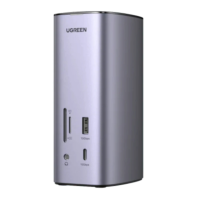

 To Next Page