Page 46 Ulthera, Inc
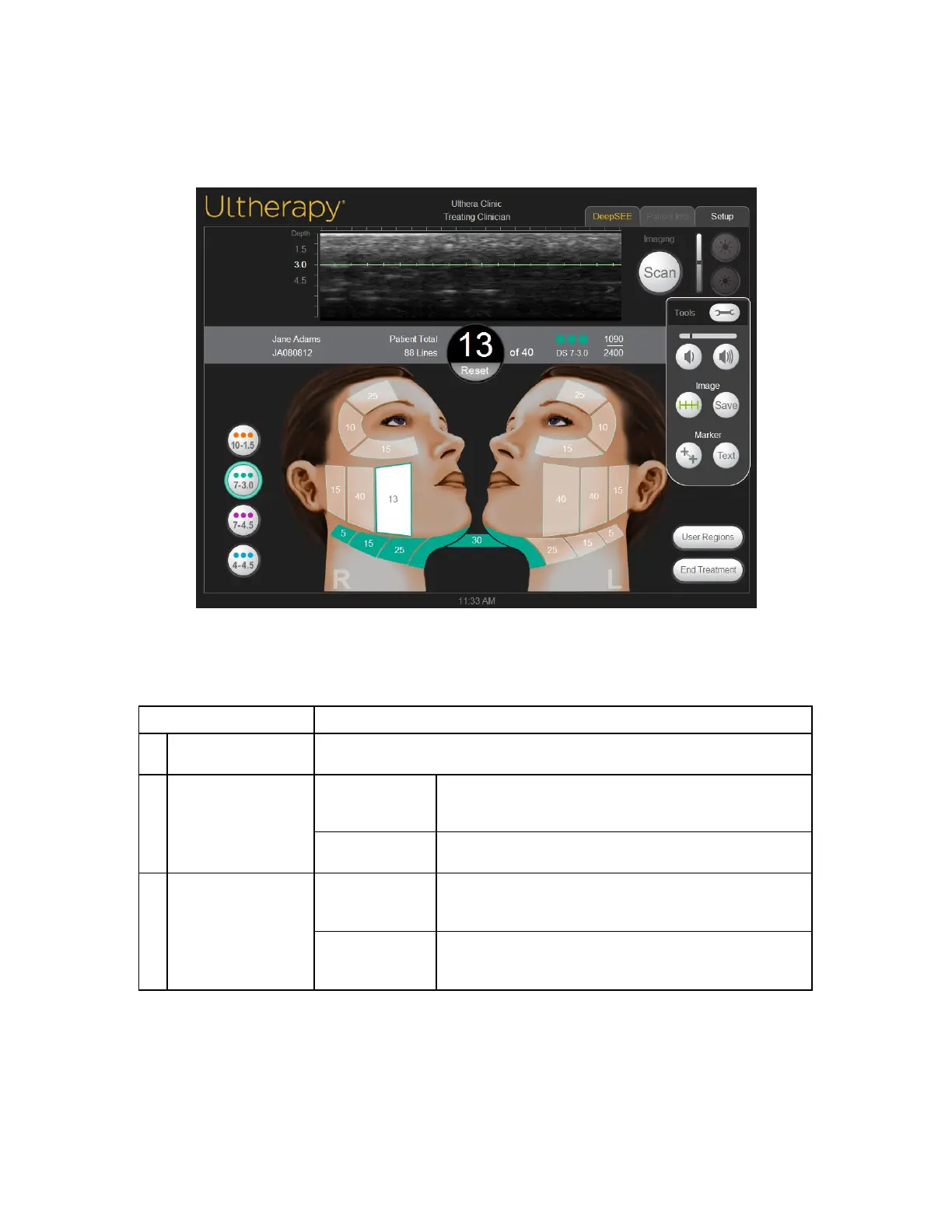
7.2.2. Tools Menu
The Tools icon in the upper right corner of the screen displays the Tools menu
shown in Figure 7.3 and described in Table 7.2.
Figure 7.3 Tools Menu
Table 7.2 Tools
1 Volume Buttons Decreases or increases the v olume of the system.
2 Image Buttons
Treat Line
The button with hash marks displays or remov es the
green treat line displayed on the ultrasound image.
Sav e The Sav e button sav es the currently displayed image.
3 Marker Buttons
Measurement
Allows you to set markers for measuring distances
within a scanned image.
Text
The Text button displays a keyboard for recording
notes on an image.



 To Next Page