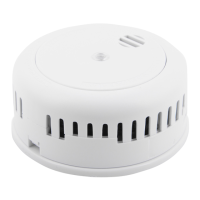
Adding a New Alarm to an Existing Interlink Network
1. Fit the batteries into the new alarm and test it as described in the
Maintenance section.
2. Remove an already interlinked alarm from its baseplate and press the test
button three times within two seconds; if the red LED ashes once then the
alarm has entered learning mode, otherwise repeat accordingly.
3. After 2 seconds it will automatically go into master mode. At this point the
red LED should always be on.
4. In master mode the alarm is constantly transmitting a wireless interlink code;
if there is no response to this command within 10 seconds, the alarm will
automatically reset to standby operation.
5. On the new alarm, press the test button three times within two seconds;
if the red LED ashes once then the alarm has entered learning mode.
6. The new alarm is now listening for the wireless interlink code transmitted
from the existing alarm which is in master mode.
7. Once the new alarm successfully receives a wireless interlink code the red
LED will ash for about two seconds. The new alarm will then exit learning
mode automatically and return to standby operation, ready to be attached to
its baseplate.
11


 To Next Page