Additional Features
Alarm Silence Mode
WARNING: Before silencing an active alarm you must ensure the environment is
safe. Do not silence the alarm in the event of an actual re, as this may prevent
other occupants from evacuating.
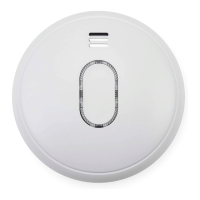
When in alarm mode, pushing the test button will silence the unit for
approximately 10 minutes. The red LED will ash as per the Status Indicators
section to indicate that the alarm has been silenced.
The alarm will automatically reset after approximately 10 minutes. If after this
period there are still signs of a potential re then the alarm will sound again. The
alarm silence mode can be repeated.
Do Not Disturb Mode
When the alarm is indicating any kind of fault it will chirp as per the Status
Indicators section. Pressing the silence button at this time will silence the warning
for approximately 8 to 10 hours, ideal for postponing corrective action overnight.
The alarm will still continue to monitor for signs of a potential re during this time,
providing the fault does not prevent normal operation, so it may go into alarm
mode. The alarm’s Do Not Disturb Mode only prevents the fault warning chirp.
4


 To Next Page