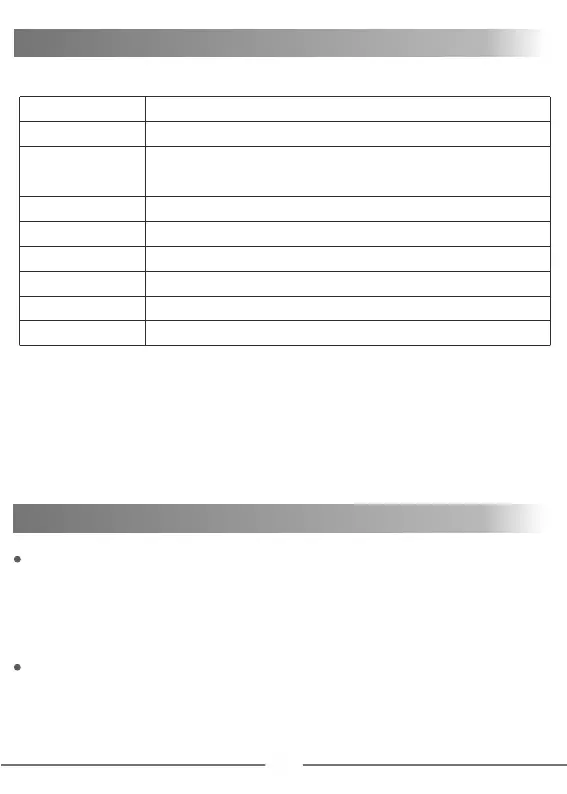
SYSTEM SETTINGS MENU
Language
MIN Input Voltage
Capacity Cut
Time Cut
Backlight
Volume
About
Factory Reset
Back
English, French, German, Japanese, Simplified Chinese, Traditional Chinese
Adjustable from 10V-12V
Terminates charge process when reach this value
Maximum capacity can be adjusted by user
Terminates charge process when exceeding time set by user
Returns all settings to factory default values
Three options-High, Medium, Low
Four options- High, Medium, Low and Off
Software version and information
Return to last program or menu
Long press the roller wheel to activate the system setting menu.
Volume: When setting the buzzer volume to OFF, the operation sound
will be shielded, but the error sound will not be shielded.
Power distribution:
AC input : 2x50W or 4x25W
DC input: 4x50W , each channel has a maximum of 50W
12
WARNINGS AND ERROR MESSAGES
Error Message for Abnormal Battery Connection
Unplug and re-connect all plugs to ensure proper connection and
polarity. Check to make sure that all connectors are free of dirt,
grease, or oxidation.
Error Message for Unstable Input Voltage
Make certain that the battery socket is free from dirt or oxidation.
Make sure that the Max Input Voltage is set correctly in the System
menu


 To Next Page