Helpline No UK. 0871 2000 463 ROI. 01443 3940
Web Support: www.umc-uk.co.uk
Connections
CONNECTIONS
Note: To use this model TV as a PC/laptop monitor it will need to be connected via the VGA input, it
can not be used as a PC/laptop monitor via the HDMI input. The HDMI Input is provided to view digital
content with compatible external devices
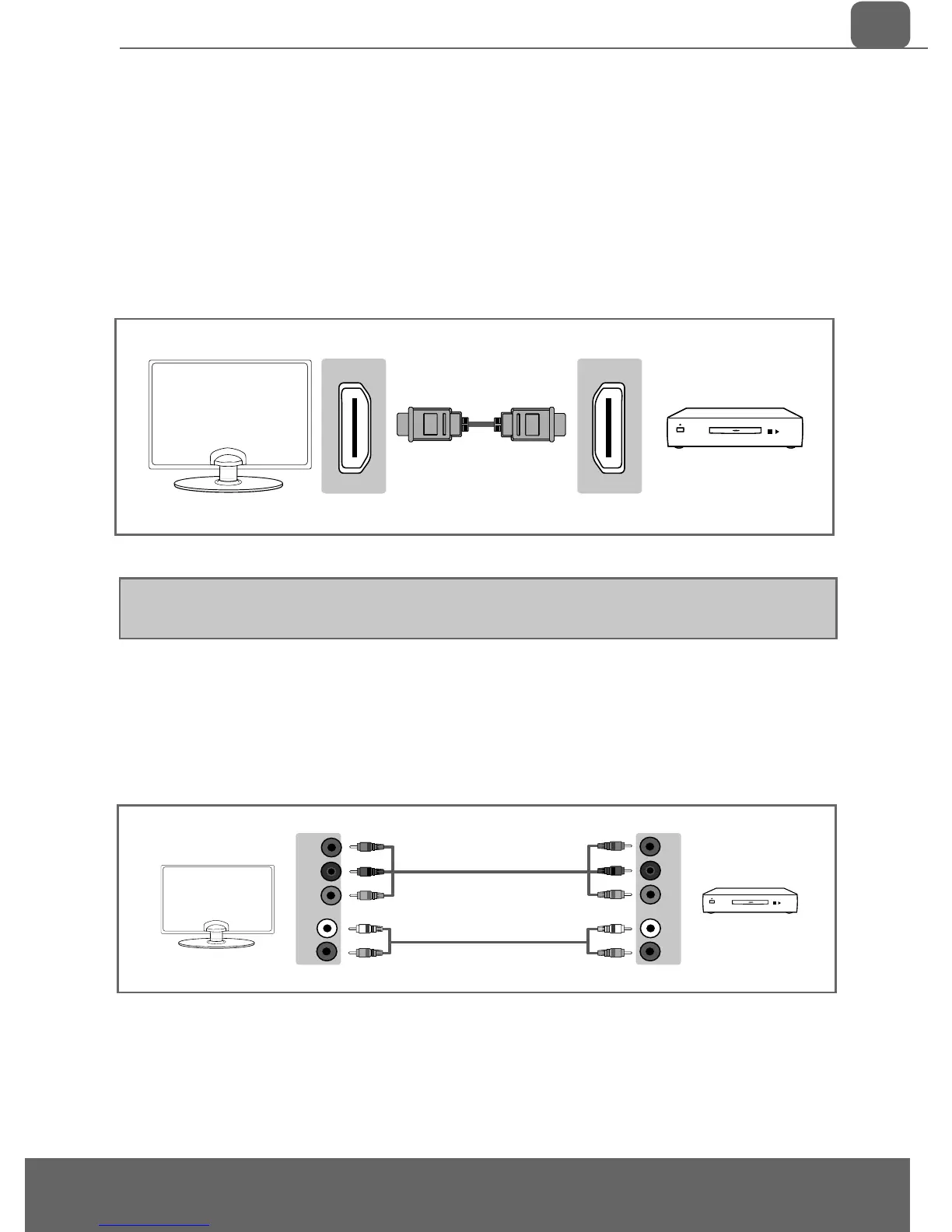
Connecting to a device with Component output
If you are supplied with a cable from the device which has RED, GREEN, BLUE, RED & WHITE connectors
you must connect via Component (for picture) and by phono cable (for sound).
TV Source should be set to Component.
Connecting to a device with HDMI output
A HDMI cable can output both video and audio and enables you to enjoy digital-quality video and audio
with minimal loss of quality.
TV Source should be set to the corresponding HDMI port (HDMI 1, HDMI 2 etc)
L
R
L
R
Y
PB
PR
Y
PB
PR


 To Next Page